
AI Workflow Automation for Australian SMEs: 7 High-ROI Workflows to Automate in 2026
A practical 2026 guide to AI workflow automation for Australian SMEs, covering use cases, ROI, risks, data quality, governance, implementation options, and a 90-day rollout plan.
AI workflow automation is where artificial intelligence becomes commercially useful for Australian SMEs. It is not only a chatbot, a writing tool, or a dashboard. It is a repeatable business process where AI helps capture information, classify work, draft outputs, check exceptions, route tasks, update systems, and keep people in control.
The timing matters. The National AI Centre reported that across December 2025 to February 2026, 43% of Australian SMEs had some level of AI adoption, with February 2026 reaching 44%. Its tracker also shows the market moving from one-off experimentation toward broader integration. For SMEs, that means the competitive gap is no longer "who has tried ChatGPT?" It is "who has embedded AI into the workflows that slow the business down every week?"
This guide explains where to start, what to avoid, and how to build an automation roadmap that improves productivity without losing governance, customer trust, or human judgement. If you want help mapping and implementing these workflows, see Vanitech's AI workflow automation services.
Best AI Workflow Automation Use Cases for SMEs
Start with repetitive, measurable, low-to-medium-risk workflows before automating decisions that affect customers, finances, compliance, or safety.
Enquiry Triage
Classify website forms, emails, and chat messages by intent, urgency, location, product, or service line, then route them to the right person with a suggested response.
Quote Preparation
Turn intake forms, photos, measurements, project notes, or CRM records into draft quotes, scope summaries, follow-up questions, and internal task lists.
Invoice Processing
Extract invoice data, match purchase orders, flag anomalies, route approvals, and update accounting systems while keeping exceptions visible to finance staff.
Document Handling
Classify contracts, job sheets, PDFs, service reports, policies, resumes, or claims, then extract the fields needed for review, search, and reporting.
Customer Support
Draft support replies, summarise history, detect sentiment, escalate urgent issues, and keep a knowledge base current from resolved tickets.
Reporting Workflows
Pull data from CRM, ecommerce, accounting, spreadsheets, and operational systems into recurring summaries, exception reports, and decision dashboards.
Why AI Workflow Automation Is Different From "Using AI"
Using AI might mean an employee asks a tool to draft an email. AI workflow automation means the business has designed a process: what triggers the workflow, what data is used, what the AI is allowed to do, where the output goes, who approves it, and how results are measured.
That distinction matters because Australian SMEs often do not fail from lack of interest. They stall because the use case is vague, the data is messy, the system is not connected, or the team does not trust the output. The National AI Centre identified trust, relevance, and not knowing where to start as major barriers for non-adopting SMEs. MYOB's 2026 research on Australian mid-sized businesses also found that data integration, governance, and workforce capability are key constraints when businesses try to scale AI-enabled automation.
A good workflow automation project therefore begins with the workflow, not the model. The best first question is not "which AI tool should we buy?" It is "which repeated process creates delays, rework, missed sales, poor handover, or unnecessary admin?"
Automation Options for Australian SMEs
| Option | Best for | Examples | Watch-outs |
|---|---|---|---|
| AI built into existing software | Quick, low-risk productivity gains inside tools the team already uses. | CRM lead scoring, accounting categorisation, email summaries, document search, spreadsheet analysis. | Features may be enabled quietly. Check data use terms, permissions, audit logs, and whether outputs are reviewed. |
| Standalone AI tools | Experimenting with drafting, summarising, research, analysis, and internal productivity tasks. | Drafting emails, summarising policies, brainstorming campaign ideas, analysing exported reports. | Easy to start, but risky if staff paste sensitive customer, financial, legal, or employee data into unmanaged tools. |
| AI integrations | Connecting AI to existing systems without building a full custom platform. | Website enquiry triage, invoice extraction, CRM updates, support ticket routing, stock or job status summaries. | Integration quality matters. Define error handling, retry rules, permissions, data retention, and who owns support. |
| Custom AI workflow automation | Higher-value workflows where control, data handling, governance, and business-specific logic matter. | Multi-step quoting, document review, complex scheduling, compliance checks, operational forecasting, approval workflows. | Needs stronger discovery, testing, monitoring, change management, and ongoing support. |
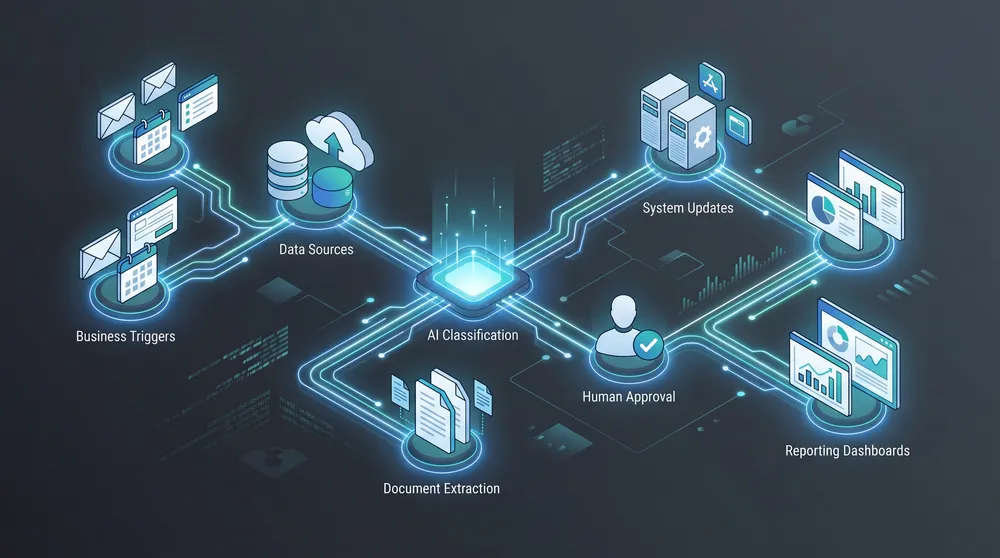
Start Where Admin Friction Meets Business Value
The strongest first projects usually have a clear trigger, repeated volume, accessible data, measurable savings, and a human review point before anything important reaches a customer or system of record.
What Every AI Workflow Needs Before It Scales
AI automation becomes dependable when the business designs the controls around it, not after something goes wrong.
Process Owner
Name the person accountable for the workflow, approvals, exceptions, reporting, and continuous improvement.
Data Readiness
Check that the source data is complete, current, permissioned, and structured enough for the automation to use reliably.
Human Review
Keep people in the loop for high-value, high-risk, customer-facing, financial, legal, or unusual decisions.
System Integration
Connect the workflow to CRM, accounting, forms, ecommerce, CMS, email, support, or ERP systems with clear error handling.
Audit Trail
Record inputs, outputs, approvals, overrides, model prompts, and status changes so the business can investigate issues.
Monitoring
Track accuracy, speed, exception rate, cost per run, adoption, customer impact, and whether the workflow is still worth automating.
The 7 Workflows Most Worth Automating First
1. Website Enquiry and Lead Routing
Many SMEs lose time because enquiries arrive through forms, email, social, chat, phone notes, and referrals. AI can classify each enquiry, detect urgency, identify missing information, draft a reply, assign it to the right person, and update the CRM. Keep human review before sending anything sensitive or quoting prices.
2. Quote and Proposal Drafting
Quoting is a strong AI workflow because it often combines structured data and repeated language. AI can summarise the customer need, draft scope inclusions, flag assumptions, generate internal checklists, and prepare follow-up questions. The final price, terms, exclusions, and commitments should stay with an accountable human.
3. Invoice Capture and Approval
Finance workflows are repetitive and measurable. AI-assisted document processing can extract supplier, ABN, line items, totals, due dates, purchase order references, and GST information. Rules can then route invoices for approval, flag anomalies, and prepare accounting entries. Exceptions should be visible rather than silently forced through.
4. Document Classification and Search
Contracts, policies, job sheets, resumes, claims, inspection reports, and customer files are often full of useful information but hard to search. AI can tag document type, extract key fields, summarise content, identify expiry dates, and connect documents to the right customer, project, asset, or employee record.
5. Customer Support Triage
Support teams can use AI to summarise history, detect frustration, suggest next actions, draft replies, recommend knowledge-base articles, and escalate urgent issues. This is usually safer and more useful than fully autonomous support because the team still controls tone, exceptions, and customer promises.
6. Operational Reporting
Many managers still copy data between spreadsheets every week. AI workflow automation can pull data from multiple systems, summarise changes, highlight anomalies, explain what changed, and generate action lists. The value is not just a prettier dashboard; it is faster management attention on what needs action.
7. Content and Knowledge Workflows
AI can support internal knowledge bases, service pages, product descriptions, staff onboarding material, sales scripts, SOPs, and training notes. Treat AI as a drafting and structuring assistant. A human should still check facts, brand voice, legal requirements, accessibility, and whether the content is genuinely useful.
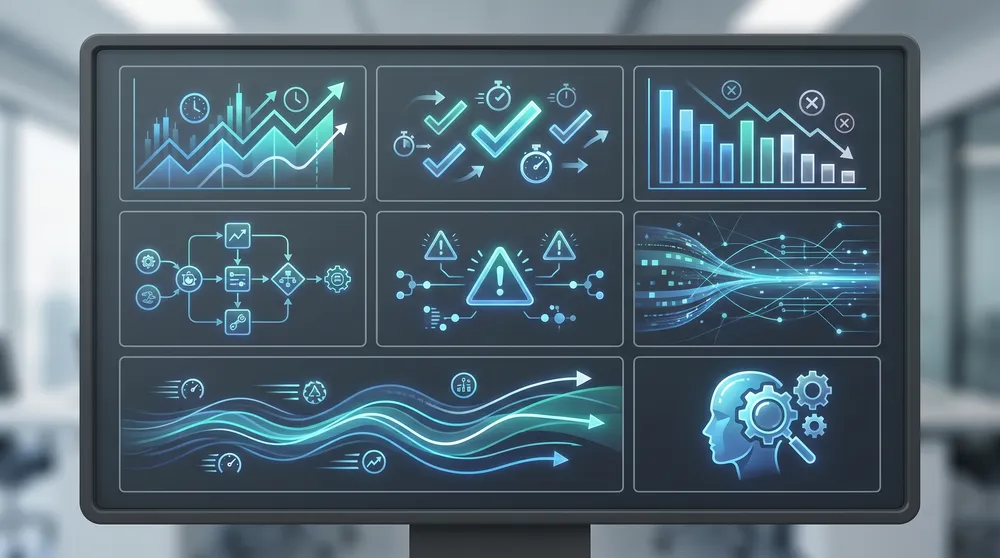
How to Calculate ROI Without Fooling Yourself
AI automation ROI should include time, quality, risk, and adoption. A workflow that saves 10 hours a week but creates untrusted outputs may not be worth scaling. A workflow that saves three hours a week but prevents missed leads or invoice errors may be extremely valuable.
| Metric | How to measure it | Why it matters |
|---|---|---|
| Manual time saved | Measure current handling time, automated handling time, and review time. | Shows whether automation actually reduces effort rather than moving work elsewhere. |
| Cycle time | Track time from trigger to completion, such as enquiry received to first response. | Faster workflows can increase sales, customer satisfaction, and operational capacity. |
| Exception rate | Count cases requiring manual correction, escalation, re-run, or override. | High exception rates signal poor data, unclear rules, or a workflow that is too complex for the current stage. |
| Accuracy and rework | Review sampled outputs against expected results and downstream corrections. | Quality matters more than speed when outputs affect customers, finance, compliance, or reputation. |
| Adoption | Track whether staff use the workflow, override it, or quietly return to old habits. | Automation only works when the team trusts it enough to change behaviour. |
| Business outcome | Connect the workflow to leads won, invoices approved, tickets resolved, orders fulfilled, or reports acted on. | Prevents AI work from becoming a technical project with no commercial owner. |
Data Quality Is the Quiet Deal-Breaker
The National AI Centre's data quality guidance is blunt in the right way: AI systems reflect the information they are given. Incomplete, outdated, duplicated, or inconsistent data can create misleading outputs, unexpected automation behaviour, legal risk, and lower trust from staff or customers.
For SMEs, this does not mean pausing AI until every system is perfect. It means choosing workflows where the data is good enough, documenting known gaps, adding validation checks, and using the first automation project to improve the data foundations for the next one.
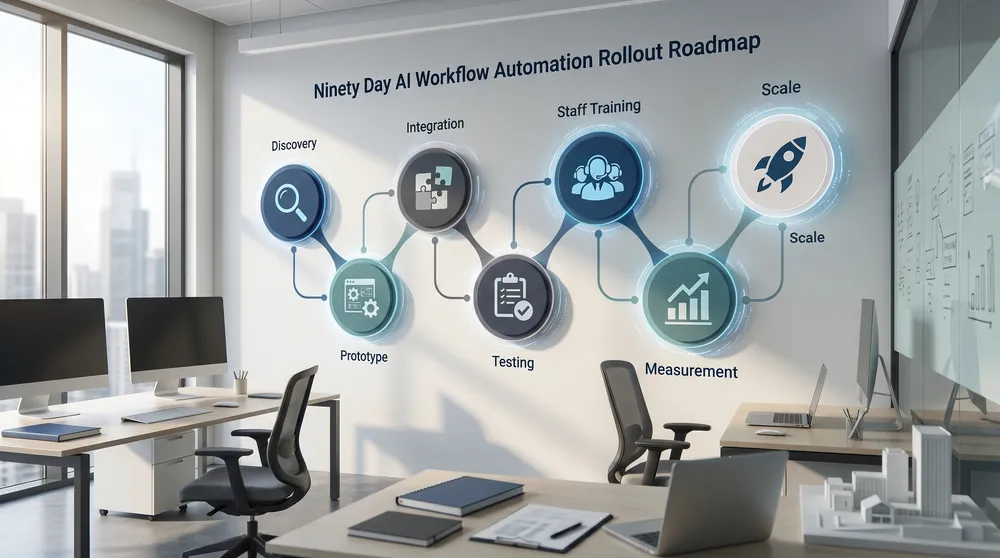
Pilot One Workflow, Then Build the Automation Muscle
A focused 90-day pilot gives SMEs enough time to map the process, connect data, test outputs, train staff, measure value, and decide whether to scale.
A Practical 90-Day Rollout Plan
Days 1 to 15: Pick the Right Workflow
List repeated processes by volume, pain, risk, data availability, business value, and team readiness. Choose one workflow with a clear owner and measurable outcome. Avoid starting with a high-risk decision workflow unless the business already has strong governance and technical support.
Days 16 to 30: Map the Process and Controls
Document the trigger, inputs, systems, handoffs, decision points, exceptions, approvals, outputs, and reporting. Decide what AI can draft, classify, or recommend, and what must remain human-approved. Define what happens when the automation is uncertain or unavailable.
Days 31 to 60: Build a Controlled Prototype
Connect only the systems and data needed for the pilot. Test with historical examples, edge cases, bad data, duplicate records, urgent requests, and unusual customer scenarios. Tune prompts, rules, thresholds, and review steps before releasing to the wider team.
Days 61 to 75: Train the Team
Show staff what the workflow does, what it does not do, where their judgement matters, and how to report problems. Training is not a nice extra. MYOB's research found workforce skills and change capacity are major constraints to scaling AI adoption.
Days 76 to 90: Measure and Decide
Compare time saved, cycle time, exceptions, accuracy, adoption, cost, and business outcome against the original baseline. Scale the workflow only if the team trusts it, the data is adequate, and the improvement is meaningful enough to maintain.
Common Mistakes to Avoid
- Automating a broken process without first simplifying the workflow.
- Letting AI tools handle sensitive data without checking terms, permissions, retention, and privacy obligations.
- Measuring productivity only by time saved and ignoring rework, errors, customer impact, and staff trust.
- Skipping human review for financial, legal, customer-facing, safety, or high-impact decisions.
- Buying a complex platform before checking whether existing software already has useful AI features.
- Leaving the workflow without an owner after launch.
- Scaling before data quality, governance, support, and monitoring are ready.
Final Recommendation
Australian SMEs should treat AI workflow automation as operational improvement, not a technology trend. Start with a workflow your team understands deeply. Build a small, measured pilot. Keep humans in control where judgement matters. Improve data quality as you go. Then expand into more connected workflows once the first one proves its value.
The businesses that win with AI will not be the ones with the most tools. They will be the ones that turn repeated work into clearer, faster, safer workflows their teams actually trust.
Sources Checked
- National AI Centre - AI adoption insights: December 2025 to February 2026
- National AI Centre - AI adoption tracker
- National AI Centre - Get ready for AI
- National AI Centre - Choose a solution
- National AI Centre - Strengthen data quality
- National AI Centre - Essential AI practices
- Australian Government Data and Digital - Artificial intelligence implementation plan
- business.gov.au - Ready to take your next step with AI?
- MYOB - Australia's mid-sized businesses see AI gains, but gaps remain
- Deloitte Australia - The AI edge for small business