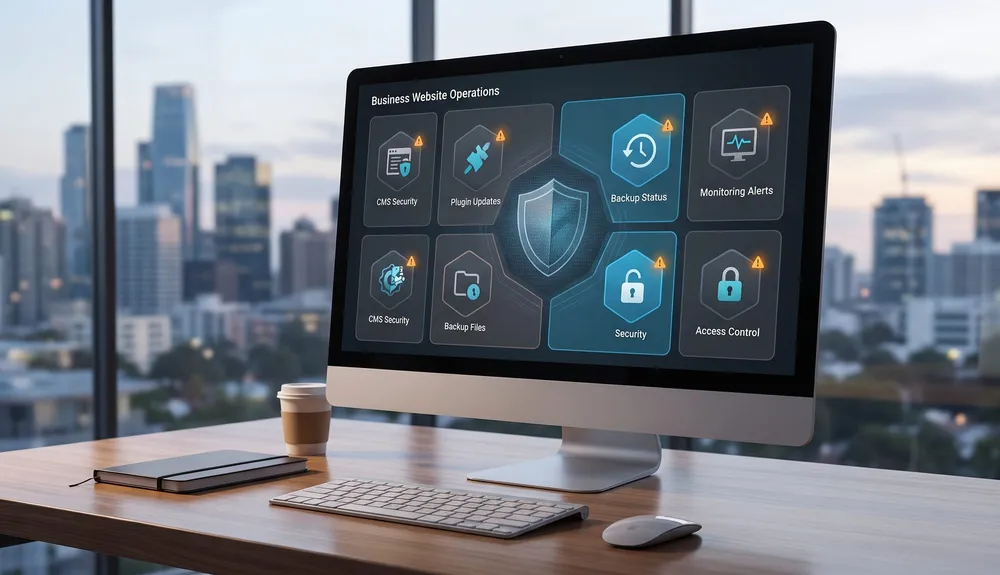
CMS Security for Australian Businesses: How to Protect WordPress and Business Websites in 2026
Learn why outdated WordPress plugins and CMS platforms are being targeted in 2026, and how Australian businesses can reduce website security risk with continuous maintenance.
Your website doesn't need to be a big brand to be attacked. Automated bots are scanning business websites every day looking for one outdated plugin.
That is why CMS security has become a business issue, not just a technical maintenance task. On 9 July 2026, the Australian Cyber Security Centre issued a critical alert about a large-scale exploitation campaign targeting content management systems, including Australian small and medium businesses. The alert described attackers actively scanning CMS platforms and plugins, deploying webshells, stealing credentials, distributing malware and creating pathways for broader compromise.
Just over a month later, Check Point Research published its StopAndProtect investigation. It described a cyber-crime operation that abused close to 2,000 compromised WordPress sites as infrastructure for malware delivery, command and control, stolen data storage, surveillance and ransomware. Many of those sites were poorly maintained or running outdated software.
The commercial lesson is direct: a website can look normal to customers while being risky underneath. For small businesses, professional services firms, ecommerce stores and local organisations, an old CMS, neglected plugin stack or unmanaged hosting account can become a route to customer-data exposure, search warnings, downtime and brand damage.
This article explains why CMS websites are being targeted, why plugins are often the weakest point, what the real business impact can look like, and how to move from reactive updates to continuous website maintenance. For help assessing your own setup, see VaniTech's CMS services, website support services, cloud architecture services, small business website solutions and integration services.
CMS Security Is No Longer a Background Task
Recent ACSC and Check Point reporting shows the risk is current, automated and highly relevant to Australian businesses running CMS-backed websites.
ACSC critical alert on large-scale CMS exploitation
09 Jul 2026
compromised WordPress domains identified in StopAndProtect reporting
~2,000
unique IP addresses observed in the operation by 24 July 2026
6,000+
screenshots collected by the operation from mid-May to late July 2026
31,000
Why CMS Websites Are Being Targeted
Most small business websites are not targeted because an attacker has studied the company and chosen it personally. They are targeted because automated scanning can find known weaknesses at scale. Attackers search for outdated CMS versions, vulnerable plugins, exposed admin paths, weak upload controls, server-side request forgery, remote code execution and deserialisation flaws.
The ACSC alert described actors actively scanning websites to deploy webshells through vulnerable CMS software and plugins. A webshell can give an attacker remote access to the web server, which can then be used for site defacement, credential capture, malware hosting, scam delivery or deeper investigation of connected systems.
That matters for businesses that treat the website as a one-off project. The risk does not stop when the site launches. New vulnerabilities are disclosed, plugins stop being maintained, hosting defaults age, staff accounts remain active after people leave, and old integrations keep running quietly in the background.
| What attackers look for | Why it works | Business response |
|---|---|---|
| Outdated CMS core software | Known vulnerabilities can be detected and exploited automatically. | Track versions, security releases and upgrade windows. |
| Old plugins, themes and extensions | Third-party code often has broad permissions inside the site. | Review every plugin, remove unused ones and patch quickly. |
| Weak admin access | Stolen or reused credentials can expose the CMS dashboard. | Use multi-factor authentication and least-privilege roles. |
| File upload and server execution paths | Misconfigured upload paths can help webshell deployment. | Restrict write paths, monitor new files and harden server permissions. |
| Unmonitored hosting accounts | Compromise can persist for weeks if nobody watches logs or file changes. | Add monitoring, alerting, backups and incident-response ownership. |
The goal is not panic. It is ownership. If your website is important enough to generate enquiries, leads, sales or reputation, it is important enough to maintain continuously.
What an Outdated Website Can Cost
CMS compromise is not only a website problem. It can affect customer trust, search visibility, operations and connected business systems.
Stolen Customer Data
Enquiry forms, quote forms, checkout flows, member areas and booking systems can expose personal information or credentials when the CMS or hosting layer is compromised.
Malware Distribution
A compromised site can be used to host malicious files, redirect visitors, deliver fake prompts or make your brand part of someone else's attack chain.
SEO Damage
Google may show hacked-site or harmful-site warnings, exclude dangerous pages from results or send users through browser interstitials, reducing trust before a customer even arrives.
Downtime and Lost Enquiries
Incident response, host suspension, restore work and cleanup can take the website offline exactly when customers are trying to contact or buy from the business.
Network Pivot Risk
If the website shares credentials, file storage, admin accounts or network access with other systems, attackers may use it as a stepping stone into broader business infrastructure.
Recovery Cost
Emergency cleanup is usually more expensive than preventive maintenance. It can involve forensics, backups, password resets, host coordination, SEO reconsideration and customer communication.
Plugins Are Often the Weakest Point, But This Is Not Only a WordPress Problem
WordPress receives the most attention because it is widely used and has a large plugin ecosystem. That does not mean WordPress is inherently unsuitable for business websites. It means plugin governance, update discipline, hosting quality and access control matter a lot.
The ACSC alert listed actively exploited vulnerabilities across multiple CMS platforms and components, including many WordPress plugins as well as Craft CMS, Joomla components and other CMS software. Check Point's StopAndProtect research focused on WordPress because the operation abused a large number of compromised WordPress sites, but the underlying lesson is broader: any CMS becomes risky when third-party extensions, admin access and server maintenance are not owned.
Plugins deserve particular attention because they often touch sensitive parts of the site: forms, payments, authentication, redirects, SEO metadata, ecommerce, file uploads, analytics, email delivery and page builders. One vulnerable plugin can expose the whole site even when the visible design still looks current.
A practical plugin review should ask:
- Is the plugin still maintained and compatible with the current CMS version?
- Does it handle authentication, file uploads, forms, payments or user data?
- Can the same feature be replaced with a safer native CMS feature or server-side integration?
- Do we have staging, backups and rollback before applying updates?
- Who receives security advisories and who is accountable for action?
Website Maintenance Should Be Continuous
Updating a website once a year is no longer a realistic security model. Vulnerabilities are disclosed throughout the year, and exploit campaigns can begin quickly after proof-of-concept code or public details become available. Maintenance needs a regular cadence, clear ownership and a way to act quickly when a critical advisory lands.
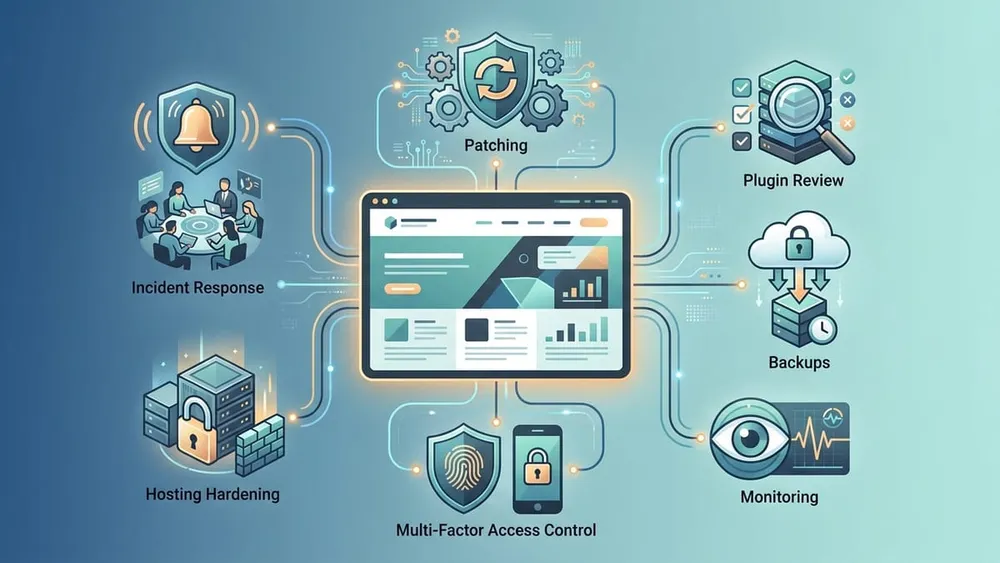
For a CMS-backed business website, continuous maintenance usually includes:
| Maintenance area | What to do | Why it matters |
|---|---|---|
| CMS and plugin patching | Track versions, test updates in staging and apply security releases promptly. | Reduces exposure to known exploited vulnerabilities. |
| Plugin and theme review | Remove unused extensions, replace abandoned plugins and document why each plugin exists. | Reduces the attack surface and future update complexity. |
| Backups and restore tests | Run automated backups, keep off-site copies and test restoration. | Makes recovery possible after malware, deletion, host failure or bad updates. |
| Monitoring and logging | Watch file changes, admin logins, child processes, redirects, malware signatures and unusual traffic. | Detects compromise earlier and provides evidence for cleanup. |
| Access control | Use multi-factor authentication, unique accounts, least privilege and prompt offboarding. | Limits damage from stolen credentials or old staff accounts. |
| Security headers and hardening | Apply appropriate headers, TLS, permissions, WAF rules, upload restrictions and server hardening. | Raises the baseline security posture beyond CMS updates alone. |
| Hosting and infrastructure | Keep PHP, .NET, database, operating system and platform dependencies supported. | A patched CMS still depends on the server or cloud environment underneath it. |
| Incident response | Define who can isolate, restore, rotate credentials, contact the host and communicate with stakeholders. | Shortens the time between detection and recovery. |
This is where an ongoing support agreement often pays for itself. It gives the website an owner after launch, with a defined patching process, escalation path and recovery plan.
Managed CMS vs Self-Managed CMS
The right CMS model depends on how much technical responsibility the business is prepared to own after launch.
Self-Hosted Plugin-Heavy CMS
Flexible and often cost-effective, but the business or support partner must own CMS core updates, plugin security, backups, hosting, user access and incident response.
Managed WordPress or Managed Hosting
Can reduce infrastructure burden with backups, staging, malware scanning, caching and support, while the business still needs plugin governance and content/admin discipline.
Managed or Cloud CMS
More patching responsibility sits with the provider. This can reduce operational risk, especially when the provider can rapidly remediate platform vulnerabilities.
Custom or Headless Architecture
Can reduce plugin sprawl and separate the public front end from editing systems, but it needs disciplined development, dependency patching, monitoring and deployment processes.
A Practical 30-Day CMS Security Checklist
Week 1: Know What You Have
- Create an inventory of CMS version, hosting provider, PHP or runtime version, database, themes, plugins, page builders, forms, ecommerce extensions and integrations.
- List every administrator account and remove users who no longer need access.
- Confirm who receives vulnerability notices, hosting alerts and domain/SSL renewal emails.
- Check whether backups exist, where they are stored and when a restore was last tested.
Week 2: Remove Obvious Risk
- Update CMS core, plugins and themes through staging where possible.
- Remove disabled, abandoned, duplicate or unnecessary plugins rather than leaving them installed.
- Replace unsupported plugins that handle forms, uploads, authentication, ecommerce or payment-adjacent workflows.
- Enable multi-factor authentication for CMS admins, hosting accounts, DNS, email and analytics tools.
Week 3: Harden and Monitor
- Apply least-privilege roles so editors, marketers and developers do not all use administrator accounts.
- Restrict file uploads and executable paths, and monitor unexpected file creation.
- Add malware scanning, uptime monitoring, log review and alerts for suspicious admin activity.
- Review security headers, TLS configuration, firewall rules and the connection between the website and internal systems.
Week 4: Decide the Future Operating Model
- Decide whether the current CMS should stay, be upgraded, be moved to managed hosting, be migrated to a managed/cloud CMS or be rebuilt with a cleaner architecture.
- Define a monthly maintenance routine and an urgent-patch process for critical advisories.
- Document restore steps, credential rotation steps and the person responsible for declaring an incident.
- Review the site again after major campaigns, plugin additions, ecommerce changes and staff turnover.
The checklist is intentionally practical. The first goal is to reduce avoidable risk quickly. The second goal is to stop the website drifting back into the same vulnerable state six months later.
Frequently Asked Questions
Short answers for Australian businesses reviewing WordPress, Umbraco, Joomla, Craft CMS or other CMS-backed websites in 2026.
Sources Checked
- Australian Cyber Security Centre: Large-scale exploitation campaign targeting website content management systems
- Check Point Research: Thousands of Hacked WordPress Sites, One Operation: Unmasking StopAndProtect
- Check Point Blog: The Mistake That Exposed a Global Cyber Crime Operation
- WordPress.org: Plugins and themes auto-updates
- WordPress Developer Resources: Hardening WordPress
- Cyber.gov.au: Multi-factor authentication
- Cyber.gov.au: Small business cyber security guide
- Google Search Console Help: Security Issues report
- Google Search Central Help: Why is my site labeled as dangerous in Google Search?
Find the Risk Before an Automated Scan Does
VaniTech can review your CMS version, plugin stack, hosting, backups, access controls, monitoring, website performance and upgrade path, then turn the findings into a practical maintenance plan.