
Google Gemini Agent for SMEs: Practical Adoption Guide
Google announced a new Gemini agent for work on 8 October 2026 and positioned it directly for small and midsize businesses. Unlike a chat assistant that waits for one prompt at a time, the product is presented as an agent that can use business context, skills, tools and connected systems to complete longer tasks.
The timing is commercially significant. Google says use of its Cloud AI tools by SMB customers has increased more than fivefold year over year. It also says the new agent is in early access with SMB customers now, with wider availability coming soon.
That makes this a good moment to assess the opportunity, but not a reason to connect every system on day one. For an Australian SME, the practical decision is whether one bounded workflow has enough measurable value, reliable data and controllable risk to justify a pilot.
This guide is for business owners, operations managers, technology decision-makers, marketing leaders and integration teams. It separates the launch claims from the implementation work and explains how to test value without handing an early-stage agent unnecessary authority.
Why the Google Gemini agent is trending now
Google's 8 October SMB announcement combines four themes that businesses have usually had to assess separately: a general-purpose work agent, connections to everyday business platforms, model choice and project-level cost controls.
Google lists systems including Asana, Dropbox, GitHub, Notion, Salesforce, Shopify, Slack and Wix. It says Gemini can operate across web, mobile, desktop, Google Workspace, Microsoft 365 and Slack, while routing work across different models. The accompanying Gemini at Work launch adds agent identity, fine-grained permissions, audit trails, sandboxing and policy enforcement.
There is a second timely signal for Australian businesses. On 7 October, the Australian Signals Directorate published its updated small business cyber security guidance. It advises businesses to limit an agent's access, understand the systems and data it can reach, verify outputs and retain human control over important communications, transactions and data changes.
Together, these announcements move the conversation from “Can AI draft something?” to “What can an agent safely do across our real systems, and how will we know it worked?”
Choose the path that matches your readiness
Availability is only one factor. Data quality, access control, integration coverage and operational ownership decide whether a pilot is useful.
Pilot now
You have a repetitive, low-consequence workflow; clean source data; a named owner; a clear approval step; test access; and a measurable manual baseline.
Prepare first
The use case is valuable, but permissions, data classification, connector coverage, privacy review, test cases or success measures are not ready.
Wait
The agent is not yet available to you, the workflow needs unsupported actions, or failure could create legal, financial, safety or customer harm.
Use Workspace features
The need is mainly summarising, drafting or creating files inside Workspace, with a person reviewing the result before it is sent or published.
Add an integration layer
The workflow crosses CRM, ecommerce, booking, finance or custom systems and needs validated APIs, business rules, queues and reconciliation.
Build a custom workflow
The process is business-specific, high-volume or sensitive enough to require stronger control over data, actions, interfaces, monitoring and support.
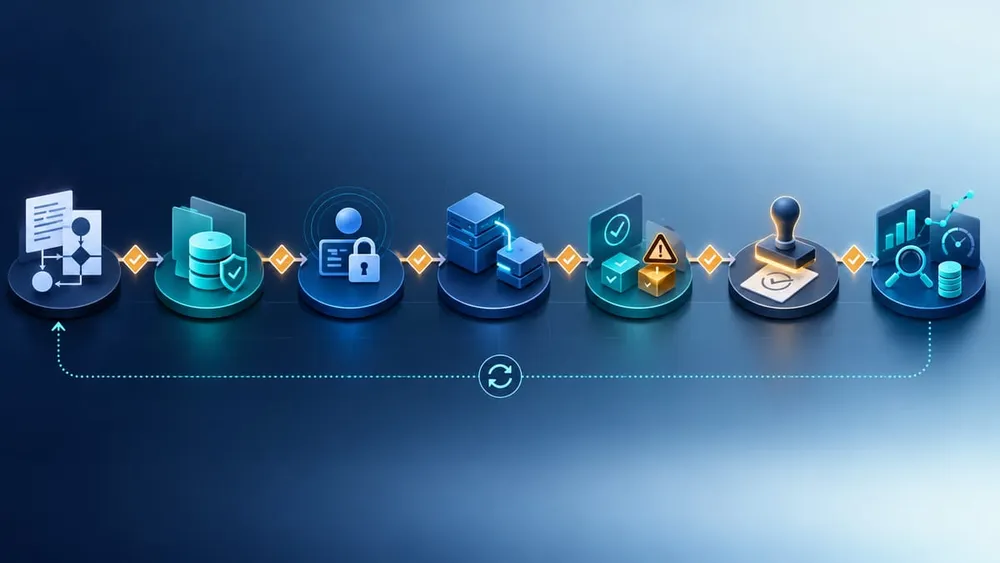
Move from workflow evidence to a governed release
What the announcement does—and does not—mean
The launch uses the word agent for a system that can plan work, use skills, call tools, retain context and continue tasks in the cloud. That is broader than the familiar Gemini side panel, but the practical boundary depends on the edition, region, connector, administrator configuration and workflow you actually deploy.
| Capability | What it can mean for an SME | What to verify |
|---|---|---|
| Workspace assistance | Summarise threads, draft documents, build spreadsheets or prepare presentations from selected sources | Eligible plan, data sources, sharing permissions and required user review |
| Connected agent | Read context from another business platform or take a supported action through a connector | Exact objects, actions, scopes, write permissions, error handling and audit evidence |
| Custom skill or agent | Encode a repeatable business process, instructions and tool sequence | Owner, versioning, evaluation set, change approval and support responsibility |
| Custom integration | Connect Gemini to an internal application, API, data store or governed workflow | Authentication, data contracts, validation, retries, idempotency, monitoring and rollback |
A named connector is not the same as a proven end-to-end workflow. Before buying or enabling anything, confirm whether the connector can access the records you need, whether it can perform the required action, whether permissions are granular enough and how partial failures are surfaced.
The safest procurement language is specific: “Can the agent read approved Salesforce opportunity fields and draft a weekly pipeline brief?” is testable. “Can it automate sales?” is not.
Five useful first workflows for small and midsize businesses
A good pilot should be frequent enough to measure, narrow enough to control and reversible when the output is wrong.
1. Internal project brief
Collect updates from approved emails, chats and project files, then draft a weekly brief for a manager to review. The output is useful, but it does not change a customer record or send an external message.
2. Sales or service preparation
Assemble an account summary from approved CRM fields, notes and documents before a staff member speaks with a customer. Keep prices, commitments and outbound communication under human control.
3. Document-to-register workflow
Extract fields from routine supplier documents or forms into a draft register, then require a person to approve the record. This exposes data-quality issues without allowing silent system changes.
4. Knowledge retrieval with citations
Answer staff questions from a curated policy, product or procedure library and link back to the source. Measure whether the answer is supported, current and useful—not merely fluent.
5. Reporting assistant
Gather defined operational data, produce a draft report and flag missing or inconsistent inputs. Keep the final interpretation and business decision with the accountable manager.
Avoid beginning with payment approval, payroll changes, staff performance decisions, legal advice, health decisions, customer refunds or unrestricted outbound messages. Those workflows carry higher consequences and require stronger assurance than an early pilot normally provides.
Design data and permissions before the prompt
Google's launch describes agents with their own identities, fine-grained permissions, attributed audit trails and a network-bounded sandbox. Those are valuable controls, but they still need a business policy.
Start with four lists:
- Allowed sources: the folders, mailboxes, projects, CRM objects, store data or APIs the pilot may read.
- Prohibited data: passwords, payment details, health information, identity documents, privileged legal material and any other data the workflow does not need.
- Allowed actions: for example, draft a document, create a task in a test project or prepare a proposed CRM update.
- Approval actions: sending an email, publishing content, changing a customer record, creating an order, approving money or deleting data.
The OAIC's commercial AI guidance says privacy obligations apply to personal information entered into AI systems and to generated output containing personal information. It recommends due diligence on the intended use, testing, human oversight, privacy and security risk, data access and ongoing monitoring.
That means “the provider has enterprise security” is not a complete privacy assessment. Your team still decides which data enters the workflow, whether the use is necessary and appropriate, who can see the output, how long evidence is retained and how an individual can correct inaccurate personal information.
Put controls at the system boundary
Important rules should not live only inside a natural-language instruction. If an agent must never issue refunds above a threshold, the payment or workflow API should enforce that limit. If it may read only one customer segment, the connected account should have that restricted scope.
Google's Agent Gateway documentation describes governed traffic to external APIs, tools and MCP servers, per-agent identity, registered destinations and policy controls. It also recommends validating some policies in dry-run mode before enforcement.
For an SME implementation, the same principle can be applied at any scale:
- Use a dedicated test identity. Do not begin with an owner's broad account.
- Prefer read-only access. Add narrowly scoped write actions only after evidence supports them.
- Validate every input. Treat model-generated tool arguments as untrusted until schema and business rules accept them.
- Make writes idempotent. A retry should not create a second invoice, ticket, order or customer.
- Return explicit errors. The agent must know when an API call failed, timed out or only partly completed.
- Reconcile business outcomes. Compare intended actions with the source system rather than trusting a success-sounding response.
- Keep a stop control. An owner must be able to disable credentials, connectors or the workflow quickly.
VaniTech's system integration services can help when the value depends on reliable CRM, ecommerce, booking, finance or internal application connections rather than a standalone assistant.
How to test a Gemini agent pilot
Build a small evaluation set from real work. Remove or protect personal information where possible, and include the difficult cases your team already encounters.
| Test area | Example evidence | Release question |
|---|---|---|
| Task completion | Required fields, source links and outputs are present | Did it complete the defined task, not a plausible substitute? |
| Accuracy | Claims match approved source records | Can a reviewer verify the answer quickly? |
| Permissions | Denied sources and actions remain inaccessible | Can it reach anything outside the pilot boundary? |
| Approval | External messages and write actions stop for review | Can a person understand and reject the proposed action? |
| Failure handling | Timeouts, missing data and connector errors are visible | Does it fail safely instead of inventing success? |
| Repeatability | The same class of input receives consistent handling | Is the process reliable enough for daily work? |
| Cost and latency | Per-run cost and completion time stay inside limits | Does the result justify the operating cost and delay? |
Include normal examples, incomplete records, conflicting sources, malicious instructions inside documents, duplicate requests, expired credentials, unavailable APIs and requests outside scope. Record the expected result before running the test so the agent is measured against a business decision, not judged after the fact.
Measure business value, not output volume
Google highlights smart routing, multi-model orchestration and project-level spend caps. Cost controls matter, but a cheap agent that creates review work is not a saving.
Capture a manual baseline before the pilot:
- minutes of staff work per case;
- queue time before work begins;
- rework or correction rate;
- number of systems touched;
- customer or internal response time;
- exceptions that require a specialist;
- current software and labour cost.
Then track the pilot with a balanced scorecard: successful completion rate, evidence quality, human correction rate, safe refusal rate, connector failures, duplicated or missing writes, average review time, cost per completed case and the operational outcome the workflow is meant to improve.
Keep a control sample. If staff handle some cases through the old process during the pilot, you can compare time, quality and exceptions instead of attributing every change to the agent.
A useful pilot ends with one of three decisions: scale because value and control are proven; revise because a solvable weakness remains; or stop because the workflow does not justify its risk, cost or maintenance burden.
Questions to ask Google or an implementation partner
- Is the specific Gemini agent capability available in Australia, in our edition and in our region?
- Which connectors are generally available, in preview or early access?
- Exactly which records and actions does each required connector support?
- Can the pilot use a dedicated agent identity and least-privilege scopes?
- Which actions appear in an audit trail, and how long can evidence be retained or exported?
- Where are prompts, memory, files, logs and generated outputs stored and processed?
- How can memory be inspected, corrected, limited and deleted?
- How are user-delegated credentials handled, rotated and revoked?
- Which safeguards are included, optional or billed separately?
- Can policies be tested in a non-blocking or dry-run mode?
- How do spend caps behave during a running task?
- What happens when a connector, model, API or external system is unavailable?
- Can we export our instructions, evaluation cases, evidence and business data if we change approach?
- Who owns monitoring, incident response and workflow maintenance after launch?
Document the answer against the exact workflow. Product-wide statements are useful background, but acceptance criteria should be tied to the data, actions and failure modes your business will use.
A 30-day adoption plan for an SME
Days 1–5: choose and baseline
Select one repeated workflow with a named business owner. Record the current steps, volumes, wait time, error rate, exceptions and cost. Define the outcome the pilot must improve.
Days 6–10: map data and authority
List every source, field, user, connector and action. Mark prohibited data, read-only access, proposed writes and mandatory human approvals. Complete privacy and security review before connecting production information.
Days 11–15: build the test boundary
Use a test identity, non-production destination and representative data. Configure spend limits, logs and a stop control. Confirm that denied sources and actions are actually denied.
Days 16–20: evaluate
Run normal, edge, adversarial and failure cases. Measure accuracy, evidence, correction effort, permission enforcement, safe refusal, latency and cost. Repair the workflow, not only the prompt.
Days 21–25: supervised pilot
Allow a small trained group to use the workflow while every consequential action remains reviewed. Hold a daily exception review and update documentation as behaviour becomes clearer.
Days 26–30: decide
Compare the pilot with the manual baseline. Approve a narrowly defined production scope only if the business owner, privacy or risk owner and technical owner accept the evidence. Set review dates, incident ownership and change controls before expanding access.
Questions Australian SMEs should ask
Sources checked
- Google Cloud — Empowering SMBs to do more with Gemini
- Google Cloud — Gemini at Work 2026: Introducing Gemini agent
- Google Workspace — Five agentic capabilities across Workspace apps
- Google Cloud — IAM, agent governance and runtime defence
- Google Cloud Documentation — Set up Agent Gateway
- Australian Cyber Security Centre — Using AI securely in your business
- OAIC — Privacy and commercially available AI products
Sources were accessed on 11 October 2026. Product names, availability, connector coverage, pricing and preview status can change; confirm current documentation and contract terms before implementation.