
How to Choose a CMS Based on Editor Workflow
A practical guide to choosing a CMS by editor workflow, comparing Umbraco, Optimizely, Hygraph, Contentful, and Contentstack across editing experience, preview, approvals, releases, localization, roles, and publishing controls.
Most CMS selection projects start with architecture, pricing, integrations, or developer preference. Those things matter, but they can hide the daily question that determines whether the CMS succeeds: can editors use it confidently without waiting for developers, breaking pages, or inventing workarounds?
Editor workflow is the path content follows from idea to live page. It includes drafting, structured fields, visual layout, preview, collaboration, tasks, approvals, localization, scheduled publishing, releases, rollback, and cleanup. A CMS that is technically powerful but awkward for editors will slow campaigns, increase support tickets, and create governance drift.
Vendor documentation was checked on 13 May 2026 across Umbraco, Optimizely, Hygraph, Contentful, and Contentstack. Features vary by product version, plan, implementation, and enterprise contract, so use this as a selection framework and confirm final details during procurement.
Start With the Editor's Day
Before comparing CMS platforms, map how content work happens now and where editors lose time.
Page-tree Editing
Editors think in pages, navigation, sections, parent-child relationships, redirects, and site ownership. Umbraco and Optimizely are often comfortable fits.
Visual Composition
Editors need to assemble landing pages, campaigns, blocks, sections, and templates with strong preview. Optimizely Visual Builder and Contentstack Visual Builder deserve attention.
Structured Content
Editors manage reusable entries, product facts, authors, FAQs, locations, and multi-channel content. Contentful, Hygraph, and Contentstack can fit well.
Approval-heavy Work
Editors need tasks, workflow stages, legal review, SEO review, publish rules, and auditability. Contentstack, Optimizely, and Contentful are strong candidates.
Campaign Releases
Editors need to launch many pages, entries, media items, and references together. Contentful Launch, Contentstack releases/workflows, and Hygraph releases can help.
Localization
Editors need locale ownership, translation review, fallback rules, preview by market, and per-language publishing. Compare this before choosing any CMS.
The Editor Workflow Test
Do not choose a CMS from a polished demo alone. Put real editors in front of realistic tasks. Ask them to create a campaign page, reuse a testimonial, update a service page, preview a draft, request approval, schedule a launch, translate a page, fix a mistake, and archive expired content. The right CMS will make those tasks feel obvious.
For marketing teams, the best CMS fit usually depends on four questions: do editors think in pages or content objects, how much visual control do they need, how strict is approval governance, and how many channels or locales must be served from the same content model?
Workflow Decision Matrix
| Editor workflow need | Best-fit pattern | CMS options to inspect first | Watch-outs |
|---|---|---|---|
| Editors manage websites as page trees | Traditional or hybrid CMS with strong navigation, parent-child structure, scheduled publishing, rollback, and permissions. | Umbraco, Optimizely | Do not force page-tree editors into a pure content-object model unless the team understands the trade-off. |
| Editors build campaign pages visually | Visual builder, reusable sections, preview, templates, design guardrails, and content blocks. | Optimizely, Contentstack, Contentful Studio if adopted | Too much visual freedom can damage brand consistency unless components and permissions are controlled. |
| Editors manage reusable structured content | Headless CMS with content models, references, localization, preview, workflows, and clean editorial labels. | Contentful, Hygraph, Contentstack | Bad content modelling makes editors hunt through abstract entries instead of working naturally. |
| Editors need strict review and approvals | Workflow stages, task assignment, approval sequences, publish rules, audit logs, and role-based publishing. | Contentstack, Optimizely, Contentful, Hygraph Enterprise patterns | Complex workflows slow teams if stages are not owned by real people. |
| Editors launch coordinated campaigns | Release management, scheduled publishing, reference validation, preview, and launch calendars. | Contentful Launch, Contentstack workflows and Timeline, Hygraph scheduled releases, Optimizely scheduled publishing | Single-entry scheduling is not enough when a launch depends on multiple pages, assets, redirects, and navigation changes. |

Choose Around the Work, Not the Acronym
Headless, composable, hybrid, and traditional CMS labels matter less than whether editors can complete their real tasks without friction.
What Editors Should Test
A CMS proof-of-concept should use real content, real reviewers, and real campaign pressure. These checks expose the daily workflow fit.
Create a Page
Can an editor create a page, choose components, add metadata, set navigation, and understand what is required?
Preview a Draft
Can editors preview unpublished content in the right device, locale, route, audience, and front-end environment?
Reuse Content
Can editors reuse blocks, assets, authors, FAQs, locations, products, and legal copy without duplication?
Request Review
Can writers assign tasks, request approval, see status, leave comments, and know who is blocking publication?
Schedule Launch
Can a campaign be scheduled as a coordinated release, including entries, assets, localized versions, and unpublishing?
Fix a Mistake
Can editors compare versions, roll back, unpublish, restore, or republish without asking a developer?
How the CMS Options Compare
| CMS | Editor workflow strengths | Best fit | Watch-outs |
|---|---|---|---|
| Umbraco | Familiar backoffice, content tree editing, document types, blocks, scheduled publish and unpublish, user groups, permissions, language access, rollback, audit trail, and strong implementation flexibility. | Teams that think in website pages, sections, departments, regions, navigation, and editor-friendly backoffice workflows. | Advanced workflow approvals may require implementation choices, packages, or custom patterns. The editor experience depends heavily on how cleanly document types and components are built. |
| Optimizely | Visual Builder, outline and preview panels, reusable blueprints, shared blocks, comments, drafts, version comparison, scheduled publishing, access rights, and approval sequences. | Enterprise marketing teams that need visual page composition, reusable page patterns, approvals, localization, personalization adjacency, and mature publishing controls. | Feature details differ between CMS SaaS, CMS 13, and broader Optimizely products. Confirm the exact product path before evaluating workflow. |
| Hygraph | Structured content editor, GraphQL-first model, DRAFT and PUBLISHED stages, custom stages by plan, stage comparison, roles and permissions, localization, scheduled publishing and releases by plan, and content federation. | Teams managing structured, reusable, multi-channel content where editors can work comfortably with content types, references, stages, and preview tooling. | Pure headless workflows need careful preview implementation and editor-friendly modelling. If editors expect page-tree control, plan the front-end preview and composition experience carefully. |
| Contentful | Structured entry editing, tasks, comments, live preview, references, localization, roles, content permissions, scheduled publishing, Launch releases, release validation, and release calendar. | Composable teams that need reusable structured content, campaign releases, collaborative editing, and multi-channel delivery. | Editors may need training if the content model is abstract. Fine-grained governance and some advanced controls can depend on plan and space design. |
| Contentstack | Entry editor, Live Preview, Visual Builder, workflow stages, workflow tasks, publish rules, branch-specific workflows, locale and environment controls, Timeline, and strong enterprise governance. | Enterprise teams that need structured content plus workflow-heavy approval, visual preview, localization checks, and controlled publishing across environments. | Powerful workflows need careful setup. Too many branches, stages, publish rules, or custom roles can make routine edits slower than necessary. |
Platform Notes
Umbraco: best when editors think in pages
Umbraco is often comfortable for editors because the content tree mirrors the website. Editors can work with pages, sections, scheduled publishing, rollback, audit trail, and user group permissions. It is a strong fit when the main workflow is website management rather than distributing content to many unrelated channels.
Optimizely: best when visual editing and approval meet
Optimizely CMS SaaS documentation describes Visual Builder as an editor interface for non-technical users, with outline and preview panels that stay in sync. Its publishing model includes drafts, ready-for-review states, approvals, version comparison, scheduled publishing, comments, and access rights. That makes it compelling for enterprise content teams with reviewers and campaign stakeholders.
Hygraph: best when structured content is the product
Hygraph is strongest when the workflow is based on structured entries, references, stages, locales, and API delivery. Its DRAFT and PUBLISHED stages separate work-in-progress from live content, and custom stages can support more advanced review flows depending on plan. Editors need a well-designed content model and preview setup to make the headless workflow feel natural.
Contentful: best for collaborative structured content and releases
Contentful is a strong choice when editors need structured content, tasks, comments, scheduled publishing, localization, and coordinated releases. Launch is especially relevant for campaign workflows because it groups related entries and assets, validates them, and supports immediate or scheduled publishing.
Contentstack: best for complex approval and preview workflows
Contentstack is well suited to larger marketing teams that need formal workflow stages, role assignments, workflow tasks, publish rules, branch-specific workflows, and live preview. Its Live Preview helps editors see updates before saving or publishing, while publish rules can require approvals or specific workflow stages before content goes live.
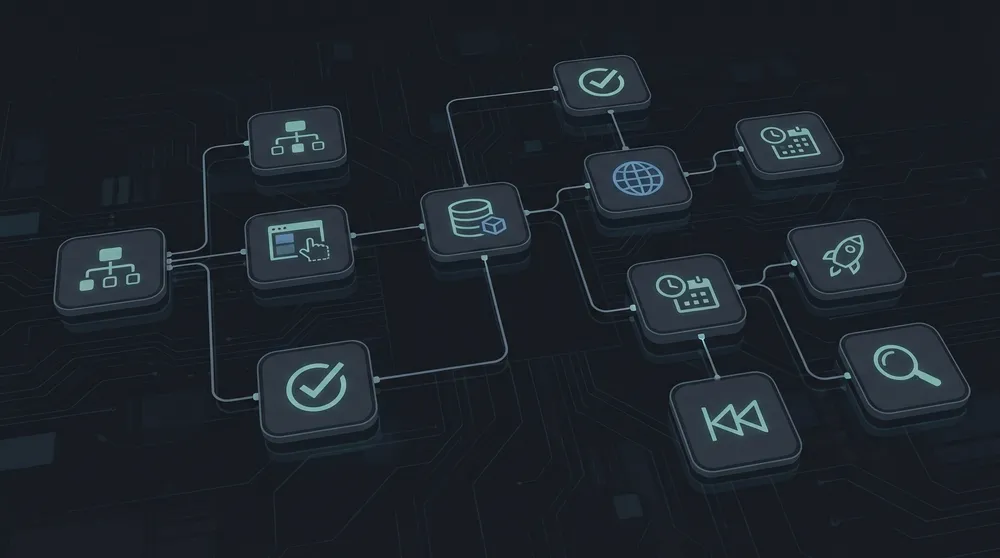
Recommended CMS by Editor Workflow
Choose Umbraco when editors own website sections
Choose Umbraco when editors manage a website as a clear content tree and need straightforward page ownership, scheduled publishing, rollback, permissions, and implementation flexibility. It is especially practical for corporate websites, service websites, education sites, member portals, and multi-site builds where the site tree matters.
Choose Optimizely when editors need visual control with governance
Choose Optimizely when the team needs visual composition, reusable blueprints, preview, approvals, drafts, versions, scheduled publishing, and enterprise governance. It fits teams that want editors to build rich experiences while still keeping review and publishing controls in place.
Choose Hygraph when editors manage structured content across channels
Choose Hygraph when the content model is highly structured and needs GraphQL delivery, localization, content stages, references, remote data, and clean separation between draft and published content. It is strongest when editors are comfortable managing content objects rather than only pages.
Choose Contentful when campaigns depend on structured releases
Choose Contentful when editors manage reusable structured content and need collaborative tasks, comments, previews, scheduled publishing, localization, and release planning. It is particularly strong for teams that launch campaigns as bundles of related entries and assets.
Choose Contentstack when approval complexity is high
Choose Contentstack when editor workflow requires formal stages, assigned tasks, live preview, visual building, publish rules, branch-specific governance, localization checks, and enterprise release discipline. It is a strong fit for larger teams with compliance, legal, SEO, regional, and campaign approval paths.
Proof-of-Concept Script
| Task | What to test | Pass signal |
|---|---|---|
| Create a campaign landing page | Components, required fields, metadata, media, CTA, forms, and navigation. | An editor can complete it without developer help or confusing field names. |
| Preview before publishing | Draft preview, device preview, locale preview, route preview, and live front-end accuracy. | The preview matches what will go live closely enough for sign-off. |
| Request review | Tasks, comments, workflow status, approvals, due dates, and notifications. | The next owner is obvious and the editor can see what is blocking publication. |
| Schedule a launch | Single-entry scheduling, release scheduling, assets, references, and unpublishing. | The team can launch and retire a campaign without staying online at midnight. |
| Localize content | Locale fields, fallback rules, translation status, market approval, and preview. | Editors can see what is translated, missing, inherited, or ready for each market. |
| Recover from a mistake | Version comparison, rollback, restore, unpublish, audit trail, and permissions. | The team can fix a bad publish quickly and understand what changed. |

Let Editors Score the Shortlist
A CMS proof-of-concept should include marketers, content editors, SEO owners, translators, approvers, and developers. Each group sees a different part of the workflow risk.
Common Selection Mistakes
- Choosing a headless CMS without proving that editors can preview and assemble pages comfortably.
- Choosing a page-tree CMS when the real need is reusable content across several channels.
- Letting developers score the CMS without editor testing.
- Testing with sample content instead of real campaign pages, real assets, and real approval paths.
- Ignoring localization until after the content model is already built.
- Buying advanced workflow features without deciding who owns each workflow stage.
- Assuming scheduled publishing for one entry is the same as coordinated campaign release management.
- Underestimating naming, help text, validation, and component design in the editor experience.
Final Recommendation
Choose the CMS that matches the editor workflow your team actually has, not the workflow a vendor demo assumes. If editors manage websites as trees, start with Umbraco or Optimizely. If they need visual campaign composition, compare Optimizely and Contentstack closely. If they manage reusable structured content across channels, compare Contentful, Hygraph, and Contentstack. If approvals and publishing controls are the hardest part, give Contentstack, Optimizely, and Contentful serious weight.
The safest CMS selection process is a hands-on workflow trial. Give each shortlisted CMS the same editorial tasks, the same content, the same reviewers, and the same launch scenario. The platform that makes real editors faster, calmer, and less dependent on developers is usually the better long-term choice.
Sources Checked
- Umbraco users and permissions
- Umbraco scheduled publishing
- Umbraco audit trail
- Optimizely Visual Builder
- Optimizely publishing and versions
- Optimizely approval sequences
- Hygraph editor content stages
- Hygraph scheduled publishing
- Hygraph roles and permissions
- Contentful scheduled publishing
- Contentful Launch
- Contentful roles
- Contentstack Live Preview
- Contentstack workflows
- Contentstack publish rules