
Shopify Rollouts: Safer Black Friday Campaigns
Shopify added catalogue changes to Rollouts on 23 October 2026. Merchants can now prepare market-specific prices and product availability, schedule when they go live, test different offers on the online store, and coordinate those changes with themes and checkout configurations.
The timing is commercially useful: Australian ecommerce teams are entering the peak Black Friday and Christmas campaign window. The operational catch is that a rollout is not a complete snapshot of every connected channel. Partial tests behave differently from 100% launches, analytics cover only selected surfaces, and edits to an active catalogue can change what customers see.
This guide is for ecommerce managers, marketing teams, operations leaders, developers and technology decision-makers who want to use Shopify Rollouts without creating inconsistent offers, misleading price claims or an improvised launch-night recovery.
Why Shopify Rollouts is trending now
Shopify's 23 October announcement expands Rollouts from storefront, checkout and discount changes to product catalogues. A campaign can now activate, deactivate or switch existing catalogues at a set time, run online-store experiments between offers, or launch catalogue, theme and checkout changes together.
That removes a familiar source of peak-season risk: staff making several manual changes in sequence while customers are already arriving. It also creates a stronger reason to formalise campaign governance. A coordinated switch is only safe when the team understands what Shopify changes, what it does not change, which channels receive the change and how the business will verify the result.
The practical opportunity is not simply automation. It is a controlled release process for commercial changes that affect price, availability, presentation and conversion.
Launch, Event or Experiment?
Start with the business outcome because each rollout type has a different ending and evidence requirement.
Launch
Use for a permanent change. It can publish to all eligible visitors at once or gradually, then merges the change into the store.
Event
Use for a time-bound sale or campaign. It requires an end date and returns affected resources to their saved state when it finishes.
Experiment
Use to compare treatment with control for a share of online-store visitors. Experiments require Shopify Grow or higher.
The most important catalogue caveat
A catalogue rollout changes whether an existing catalogue is Active or Draft. It does not freeze a copy of the catalogue at the moment the rollout is created.
Shopify says edits to catalogue prices, price adjustments and included products are saved immediately. Customers see those edits whenever that catalogue is active for their market. If someone changes a catalogue during an Event or Experiment, the live treatment and the eventual rollback can differ from the version the campaign team approved.
Treat an approved campaign catalogue as change-controlled during the rollout window:
- Name the catalogue and rollout clearly, including market and campaign.
- Record the approved SKU, fixed-price, compare-at-price and availability set.
- Limit edit permissions to named owners.
- Freeze non-essential catalogue edits from final acceptance until the rollout ends.
- If an urgent edit is required, record it and repeat the affected tests.
This is the difference between scheduling a status change and deploying a versioned campaign package.
Map the customer surfaces before you test
| Surface | 100% catalogue rollout | Partial rollout or Experiment | What to verify |
|---|---|---|---|
| Online store, cart and checkout | Can receive the catalogue change | Treatment and control can differ | Price, compare-at price, availability, discount and final total |
| Headless or custom storefront | Can receive 100% catalogue changes | Not included in partial rollout behaviour | Storefront API result, cache invalidation and rendered offer |
| Shopify POS | Can receive 100% catalogue changes | Not part of experiments or partial rollouts | Retail price, availability and staff guidance |
| Google and YouTube feeds | Can update on the next sync | May show a different offer from some online-store visitors | Feed price, landing-page price and promotion timing |
| Apps, ERP, PIM and reporting | Depends on integration design | May not understand visitor-level treatment | API version, rollout awareness, schedules and downstream assumptions |
The exact result depends on your markets, channels and integrations. Do not assume that an online-store preview proves the offer is consistent everywhere a customer or staff member can encounter it.
Decide whether you need a test or a coordinated launch
An Experiment is useful when the question is causal: does offer A improve add-to-cart or checkout performance compared with the existing offer? A 100% Launch or Event is usually better when the requirement is operational: every customer, ad, feed, retail location and support script must agree at a specific time.
Before choosing an Experiment, ask:
- Can the offer be shown only to online-store visitors without confusing other channels?
- Will paid ads or email creative promise a price that only some visitors receive?
- Can customer support explain why devices or browsers may receive different groups?
- Is the available traffic and duration sufficient for a useful decision?
- Does the team accept that Shopify's built-in analytics cannot be filtered by country or device?
If the answer to the first three questions is no, use a controlled full launch or redesign the test so the treatment does not create a contradictory public promise.
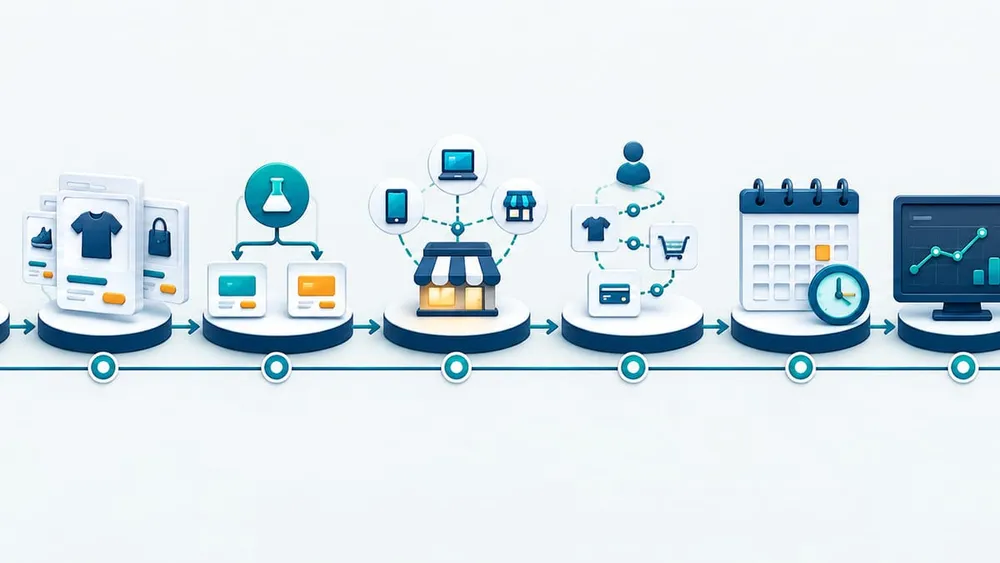
Move from offer design to verified rollback
An eight-step safer Shopify Rollouts plan
1. Define one commercial promise
Write the exact markets, products, prices, exclusions, dates and customer outcome. Make sure advertising, merchandising and support teams use the same definition.
2. Prepare the catalogue before the rollout
Create the market catalogue, configure products and pricing, assign the intended markets, and keep it Draft until review. A rollout selects an existing catalogue; it is not the place to invent the offer.
3. Choose the rollout type deliberately
Use Launch for a permanent state, Event for a scheduled window, or Experiment for a measurable treatment. Record why the type matches the business decision.
4. Map every channel and integration
List the online store, checkout, headless storefronts, mobile apps, POS, feeds, ERP, PIM, CRM, analytics, advertising and customer-support tools that display or depend on the offer.
5. Rehearse representative journeys
Test each market, currency, customer type, device class and critical basket. Include products moving into and out of availability, discounts, shipping and taxes.
6. Confirm schedule and conflicts
Shopify uses the store timezone. Verify it, review overlapping rollout warnings, check effective traffic and ensure the start and end times match media and staffing plans.
7. Launch with named monitoring owners
Assign owners for ecommerce, integrations, feeds, support and incident decisions. Capture screenshots, API results, orders and metrics from the live window.
8. End, apply or roll back with evidence
Do not let a temporary event drift into an unreviewed permanent state. Compare the outcome with the pre-agreed threshold, verify every channel after the end, and retain the decision record.
Use a small but complete acceptance matrix
| Scenario | Expected evidence | Owner |
|---|---|---|
| Included product in each target market | Correct local price, availability and catalogue calculation | Ecommerce |
| Excluded or withdrawn product | Not purchasable; search and direct URL behaviour understood | Merchandising |
| Cart and checkout | Line price, discount, tax, shipping and final total agree | Ecommerce and finance |
| Advertising landing page | Ad promise matches the visitor's offer and conditions | Marketing |
| POS and headless storefront | Channel behaviour matches the documented rollout scope | Retail or product |
| Feed and marketplace | Price and availability sync at the expected time | Performance marketing |
| ERP, PIM and reporting | Connected systems neither overwrite nor misread the campaign state | Technology |
| Pause, end and rollback | Owners can execute the decision and verify the resulting state | Incident lead |
Run the matrix before the scheduled window, then repeat the critical rows immediately after the rollout starts and ends.
Keep Australian pricing claims accurate
Rollouts makes it easier to change prices quickly; it does not change the Australian Consumer Law. The ACCC says businesses must communicate clear and accurate prices, display the total price, and avoid misleading representations about sales or comparisons.
For each campaign, retain the evidence behind:
- the previous price used in a was/now comparison;
- the products and markets covered by a percentage-off claim;
- the period for which the offer is genuinely available;
- mandatory fees, taxes and charges included in the total;
- exclusions or conditions shown in advertising and on the landing page.
Partial experiments need extra care. If an advertisement promises a public price but only a treatment group receives it, the implementation and the claim can diverge. Ask a qualified legal adviser about campaign-specific obligations; technical testing is not legal advice.
Read rollout analytics in context
Shopify's built-in rollout analytics are useful but bounded. They cover the online store, cart and checkout, exclude headless storefront and POS visitors, update after a delay, and cannot be filtered by device or country. Visitor assignment is cookie-based, so another browser or device can receive another group. Only visitors who consent are counted in experiment results.
Define the decision rule before launch. Depending on the change, track:
- add-to-cart and reached-checkout rates;
- checkout conversion and completed orders;
- gross sales, average order value and margin;
- refunds, cancellations and support contacts;
- feed disapprovals, integration errors and price-mismatch alerts;
- results by market or channel in external analytics where the built-in view is insufficient.
A higher conversion rate is not automatically a better commercial outcome if the treatment reduces margin, creates operational exceptions or sends conflicting prices to other channels.
Make connected apps rollout-aware
Shopify's 2026-10 Admin GraphQL API can expose rollout schedules, configured and effective traffic allocation, and changes to catalogues, discounts, themes and checkout configurations. Rollout webhooks can report lifecycle, allocation and resource changes.
That matters when a custom app, dashboard or integration assumes that a resource's ordinary status is the whole truth. A rollout can temporarily change effective availability or buyer reach without rewriting every native field an older integration expects.
For business-critical integrations:
- inventory which apps read catalogue, discount or market state;
- confirm their Admin API version and rollout support;
- subscribe to relevant webhooks where operational monitoring needs them;
- record configured and effective traffic separately;
- test paused, ended and overlapping rollout states;
- alert on mismatches that affect customer price or availability.
API awareness improves observability, but it does not replace customer-journey tests across the surfaces where the offer appears.
Give every decision a named owner
Peak-season control works when business and technical responsibilities are explicit before the clock starts.
Commercial owner
Approves the offer, products, markets, margin thresholds and success rule.
Catalogue owner
Controls catalogue edits, permissions, market assignment and final preview.
Technology owner
Checks integrations, feeds, API behaviour, caches and monitoring.
Marketing owner
Aligns ads, email, landing pages, disclaimers and campaign timing.
Support owner
Prepares customer-service guidance for offer, device or channel differences.
Incident owner
Has authority to pause, end, roll back or permanently apply the rollout.
A practical seven-day Black Friday readiness plan
Seven to five days before
- Approve the offer, markets, catalogue and legal pricing evidence.
- Inventory channels and integrations.
- Confirm staff permissions and the store timezone.
Four to three days before
- Create the rollout and resolve conflicts.
- Run the full acceptance matrix.
- Validate ads, feeds, support scripts and monitoring.
Two days before
- Freeze the campaign catalogue.
- Record the approved state and rollback decision tree.
- Confirm launch and incident owners are available.
Launch day
- Verify the rollout status and effective traffic.
- Test priority markets, products, carts and channels.
- Watch conversion, margin, feed and integration signals.
After the campaign
- Confirm whether the rollout rolled back or was applied permanently.
- Verify catalogue, POS, feeds and integrations after their next sync.
- Document results, exceptions and improvements for the next campaign.
What should business leaders ask?
You do not need to manage every Shopify setting personally. You should be able to get clear answers to these questions:
- Which catalogue, markets and products will change?
- Is this a Launch, Event or Experiment, and what happens at the end?
- Which channels will receive the change at 100%, and which will not?
- Can ads, feeds, POS or headless storefronts show a different offer?
- Who can edit the catalogue while the rollout is active?
- What result will justify applying the change permanently?
- Who has authority to pause or roll back?
- How will connected apps and dashboards recognise the rollout?
- What evidence will be retained for pricing claims and post-campaign review?
If those answers are missing, scheduling has moved ahead of governance. Fix the operating plan before the peak traffic arrives.
Questions ecommerce teams are asking
Sources Checked
- Shopify Changelog: Schedule and test catalog changes with Rollouts
- Shopify Help Center: Rollouts
- Shopify Help Center: Creating a rollout
- Shopify Help Center: Types of rollouts and changes
- Shopify Help Center: Requirements and considerations
- Shopify Help Center: Rollout analytics
- Shopify Help Center: Managing rollouts
- Shopify Help Center: Creating catalogs for markets
- Shopify Developers: 2026-10 Rollouts release notes
- ACCC: Price displays
Sources were accessed on 24 October 2026. Confirm current Shopify documentation, plan availability and Australian regulatory guidance before a live campaign.