
Shopify Sidekick Admin Update: App Readiness Guide
Shopify's latest admin change is not just cosmetic for businesses that rely on embedded or custom apps. Sidekick now appears at the bottom centre of every Shopify admin screen, including app pages, and Shopify says there is no API to hide or disable it.
That creates two separate decisions. The urgent one is compatibility: can staff still reach save bars, floating buttons, filters, tables, modals and error messages? The optional one is integration: should Sidekick be allowed to search your app's data or route a merchant into an action?
Do not combine those decisions. Fix the working experience first. Then add AI access only where a defined business use case, permission model and test plan justify it.
Why this is trending now
Shopify announced the new Sidekick placement on 14 October 2026. The official partner discussion remained active through 16 October as app developers reported obscured controls, reduced working space and uncertainty about whether integration was expected.
Shopify's position is specific: the placement applies across embedded apps, there is no hide API, and its recommendations are not App Store requirements. It advises app teams to use App Bridge safe-area insets, keep toasts away from the bottom overlay and consider Sidekick extensions.
For merchants, the practical signal is stronger than the debate. A platform-level overlay has changed the space available to every embedded app. Any store that depends on custom order, inventory, fulfilment, subscription, loyalty, support or reporting screens should verify those workflows rather than assume an installed app remains usable.
What the update means for a business
The visible symptom may be a covered button, but the business risk is an interrupted process. A warehouse user may not be able to confirm a fulfilment. A service team may miss a toast that explains why a record failed. A finance user may abandon a reconciliation screen because its fixed action bar sits behind Sidekick.
The highest-risk screens are usually the least generic: custom scroll containers, long configuration pages, fixed footers, floating actions, legacy modals and interfaces embedded through older App Bridge patterns. These are also the screens most likely to support revenue, customer service or operational hand-offs.
Create a short inventory of the app journeys that matter to trading. Record the app owner, affected roles, device types, critical actions and the evidence needed to show each journey still works.
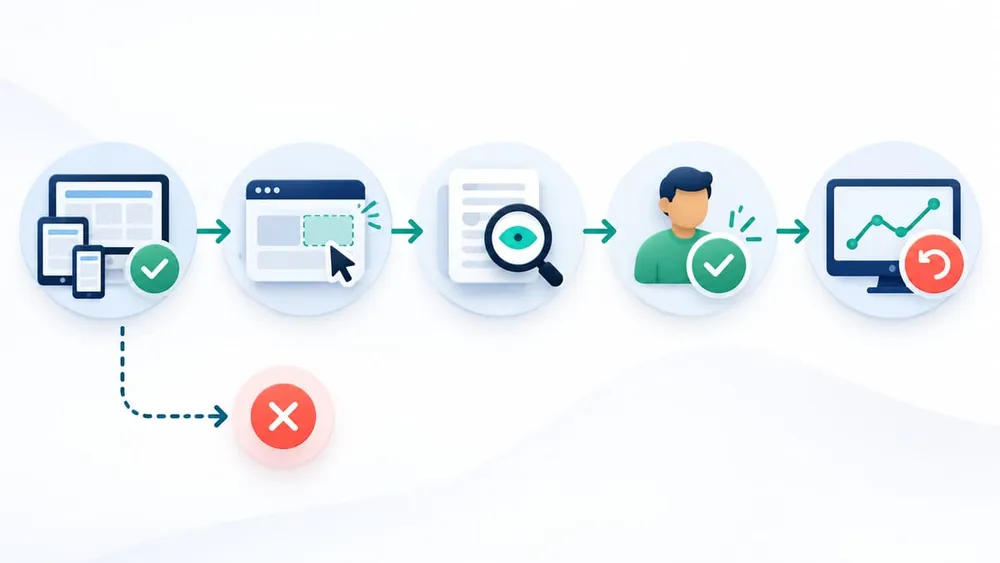
Separate compatibility from AI integration
Run the compatibility audit first
App Bridge now exposes the height of Shopify's bottom overlay through the CSS variable --shopify-safe-area-inset-bottom. It also adds bottom padding to the document body, so a conventional page may need no change. Custom fixed elements still need explicit handling.
.app-save-bar {
  position: fixed;
  bottom: calc(16px + var(--shopify-safe-area-inset-bottom, 0px));
}
Check more than the default desktop route. Shopify advises testing both the current and updated admin appearances during the rollout. Include desktop and mobile web, short and long pages, zoomed layouts, narrow viewports, empty and error states, keyboard navigation, sticky filters, save bars, floating buttons, drawers, legacy modals and custom scroll regions.
Use App Bridge toasts where possible because Shopify places them at the top of the frame. If an app displays its own alerts near the bottom, verify that errors and success messages remain visible and announced to assistive technology.
Choose the smallest useful Sidekick scope
A compatible app does not have to become an AI-connected app. Match the integration level to a measurable merchant problem.
Compatibility only
Apply safe-area handling, repair obscured controls and test critical journeys. Choose this when Sidekick access would add little operational value.
Read-only data
Let Sidekick find app records, counts or statuses without making changes. Start here when staff repeatedly search across a large operational dataset.
Action hand-off
Route the merchant into a focused app screen to review and confirm a change. Use it only where the action, permissions and failure states are clear.
Keep data tools read-only and actions deliberate
Shopify separates data discovery from app actions. Data extensions run headlessly in Shopify's sandbox and should return structured information that matches their declared purpose. Shopify's policy says these data extensions should be read-only; mutations belong in action extensions where the merchant can review and confirm the change.
A useful read-only example is: Show overdue fulfilment exceptions for this location. A suitable action hand-off is: Open the selected exception in the app so I can resolve it. A poor first release is a broad tool that can search customer data, modify orders and trigger external workflows from one ambiguous prompt.
Apps with Sidekick-eligible extensions also need an extensions_summary in shopify.app.toml. It helps Sidekick route questions to the right app, and Shopify says omitting it causes deployment validation to fail. Describe the real capability plainly; do not use the summary as marketing copy.
Preserve permissions and customer-data boundaries
A Sidekick integration should not create a second, looser permission model. Shopify API calls remain subject to the app's approved access scopes. Online access can also be constrained by the permissions of the staff member who authorised the request, and protected customer data may require separate approval.
Map each proposed tool to the minimum Shopify scopes, app-backend permissions and data fields it requires. Test with a least-privileged staff account, not only an owner account. Confirm that denied requests fail safely and do not leak record existence, customer details, credentials or internal diagnostic data.
Australian small-business cyber guidance recommends reviewing how an AI vendor accesses and handles data and applying familiar controls such as role-based access. In practice, that means documenting what Sidekick receives, what remains in the app, which logs are retained and who can invoke each capability.
Design for Shopify's safety checks
Shopify checks Sidekick extension content at deployment and checks returned data at runtime. Its guidance favours factual descriptions, structured results and responses limited to the tool's declared job. Promotional content, behaviour-changing directives, credentials and unrequested customer data can cause a capability to be blocked.
During development, preview scans appear as Sidekick events in the Dev Dashboard. Treat an OK event as one release gate, not proof that the business workflow is correct. A passing extension can still return the wrong record, omit an important status, time out or route a user to an unsuitable action.
Performance is part of reliability. Shopify advises data tools to return in under one second because consistently slow tools may be skipped. Set a latency budget, use bounded result sets, cache safe reference data and monitor backend dependency failures.
Use a business-focused test matrix
| Area | Test | Evidence |
|---|---|---|
| Layout | Desktop, mobile web, zoom, long pages, fixed controls and modals | Screenshots and completed task record |
| Roles | Owner, manager and least-privileged staff accounts | Expected allow and deny outcomes |
| Data | Exact match, no result, stale record and sensitive field exclusion | Structured response samples |
| Actions | Open, confirm, cancel, validation error and retry | No change before merchant confirmation |
| Reliability | Slow backend, timeout, unavailable dependency and partial response | Safe failure message and trace |
| Safety | Prompt injection in stored text, unrelated request and excessive data request | Blocked or bounded response |
| Accessibility | Keyboard, focus order, screen-reader announcement and contrast | Completed accessibility checks |
Run the tests in an isolated development store. Shopify CLI can create a dev preview for local app and extension changes, allowing the team to inspect real admin behaviour before deployment. Keep production-like sample data free of real customer information.
Monitor the outcome, not just the deployment
For compatibility work, monitor support tickets, task abandonment and errors on the affected routes. For a data extension, track invocation volume, result usefulness, no-result rates, latency and blocked scans. For action hand-offs, measure how often the user reaches the correct screen, completes the intended task or cancels.
Keep a kill path for your own extension capability even though the Sidekick placement itself cannot be hidden. A configuration flag can stop a data tool from calling a fragile backend or temporarily remove an action route while the ordinary app remains available.
Assign ownership for Sidekick policy emails, Dev Dashboard events, app logs, scope changes and merchant feedback. Without named ownership, a technically successful deployment can drift into an unreliable operational dependency.
A seven-day response plan
- Day 1: inventory. List embedded and custom apps, critical routes, business owners and affected staff roles.
- Day 2: reproduce. Test the updated admin on desktop and mobile, recording every obscured control or missed message.
- Day 3: repair. Apply App Bridge safe-area handling and move custom fixed elements and alerts away from the overlay.
- Day 4: regress. Walk revenue, fulfilment, support and reporting journeys in both admin appearances and with keyboard-only navigation.
- Day 5: decide. Choose compatibility only, read-only data discovery or a merchant-confirmed action hand-off for each app.
- Day 6: govern. Map scopes, data fields, staff permissions, logs, latency targets, failure behaviour and rollback ownership.
- Day 7: release. Deploy the smallest tested change, verify the live journeys and monitor merchant-facing outcomes.
If the app is third-party, ask the vendor for its compatibility status and evidence. If the app is custom or unsupported, treat the update as a technical-takeover task: secure source access, deployment credentials, a dev store, monitoring and a rollback plan before changing production.
Questions to ask your Shopify app partner
- Which app routes use fixed, sticky or custom-scrolling interface elements?
- Have you tested both Shopify admin appearances, mobile web, zoom and keyboard navigation?
- Are errors and success messages still visible when Sidekick is present?
- Does the proposed Sidekick capability read data, route to an action or make a change?
- Which scopes, protected customer fields and staff permissions does it require?
- How are slow dependencies, empty results, denied permissions and cancelled actions handled?
- What development scan, business test and production monitoring evidence will you provide?
- How can the Sidekick capability be disabled without taking the ordinary app offline?
A good answer separates a platform compatibility patch from an AI feature proposal. It should also name the owner, release window, rollback path and measurable benefit.
Questions merchants and app owners are asking
Sources checked
- Shopify Developer Community: Updating apps to work with Sidekick's new placement
- Shopify: Environment API and safe area insets
- Shopify: Update your app for Polaris 2
- Shopify: Sidekick app extensions
- Shopify: Use extensions to surface app data
- Shopify: Use extensions to surface app actions
- Shopify: About app authentication
- Shopify: Test apps locally
- Australian Cyber Security Centre: Artificial intelligence for small business
Sources were accessed on 17 October 2026. Platform behaviour and documentation can change, so confirm the current Shopify guidance before implementation.