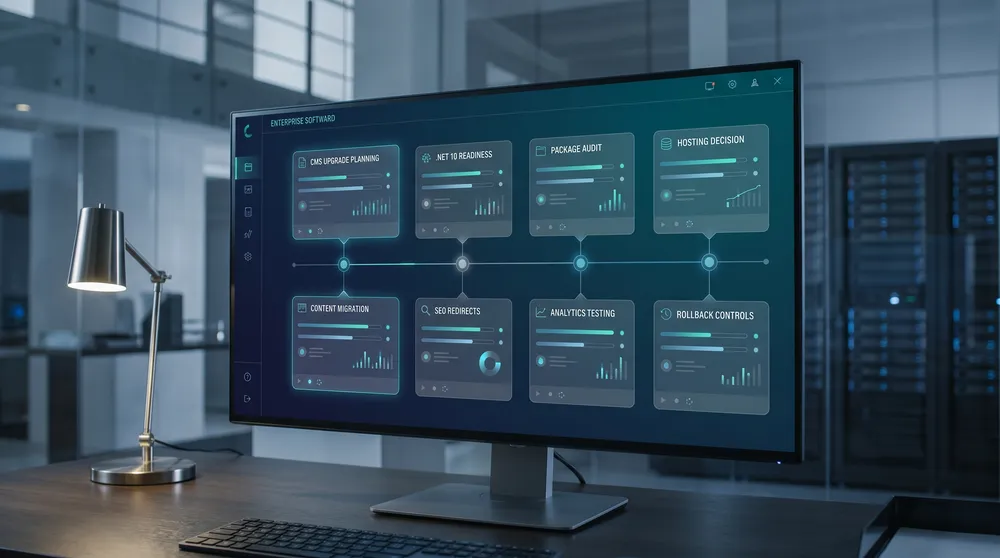
Umbraco 17 LTS Migration Checklist
A practical Umbraco 17 LTS migration checklist for Australian businesses, covering support timelines, .NET 10 readiness, upgrade paths, packages, hosting, testing, content migration, pricing options, and rollout planning.
Umbraco 17 LTS is the release many teams have been waiting for: a long-term supported Umbraco version aligned with .NET 10 LTS. For businesses running older Umbraco versions, it is also the moment to stop treating upgrades as a quick package update and start treating them as a controlled migration project.
A safe Umbraco 17 migration checks the current version, upgrade path, custom code, packages, database changes, front-end build, hosting runtime, integrations, editor workflow, redirects, analytics, and rollback plan. The checklist matters because the hidden cost of an upgrade is rarely the Umbraco licence. It is the rework around old templates, unsupported packages, brittle integrations, stale content, and weak deployment discipline.
Pricing was checked on 11 May 2026. Official Umbraco prices are published in EUR, so AUD estimates below use an approximate EUR to AUD planning rate of 1.63x checked on 11 May 2026. If a vendor quote is provided in USD, use your requested 1.7x USD to AUD planning conversion.
What to Confirm First
Before touching production, confirm the business reason, source version, target hosting model, package support, and the level of testing the migration needs.
Target Version
Umbraco 17 is the current LTS release and is supported until 27 November 2028, according to Umbraco release notes checked on 11 May 2026.
Runtime
Umbraco 17 is built on .NET 10 LTS. Hosting, build agents, local dev machines, containers, and deployment pipelines must support it.
Upgrade Path
Version 13 LTS can move to 17 LTS with a major-version upgrade plan. Older sites may need staged upgrades, rebuild work, or content migration.
Packages
Check every NuGet package, backoffice extension, custom property editor, forms package, search integration, and deployment tool for Umbraco 17 compatibility.
Content
Audit document types, data types, media, redirects, member data, forms, workflows, URL structure, and editor permissions before the technical upgrade.
Launch Risk
Plan testing, redirects, analytics, forms, search, cache behaviour, content freeze, editor sign-off, DNS, rollback, and post-launch monitoring.
Options and Cost Snapshot
Pricing checked on 11 May 2026. Umbraco prices are official EUR prices with approximate AUD planning conversions at 1.63x. Implementation, migration, content audit, package replacement, infrastructure, GST, support, accessibility testing, SEO, analytics, and agency costs are separate unless noted.
| Option | Cost snapshot | Best for | What you get | Watch-outs |
|---|---|---|---|---|
| Self-hosted Umbraco CMS | Umbraco CMS is open source with no CMS licence fee. Budget for development, migration, hosting, monitoring, backups, CI/CD, security, support, and maintenance. | Businesses with internal .NET capability, existing Azure/AWS infrastructure, custom deployment needs, or a partner managing hosting. | Full control over hosting, code, deployment, integrations, database, media storage, caching, observability, and release process. | The software licence can be free while the operational cost is not. You own runtime patching, uptime, backups, scaling, security, disaster recovery, and support. |
| Umbraco Cloud Starter | EUR 45/month, about AUD 73.35/month. | Small sites, proof-of-concepts, campaign sites, and low-risk migrations. | Managed Umbraco hosting, automatic upgrades inside the Cloud workflow, starter-level project resources, environments, and deployment tooling. | Check traffic, storage, environments, custom domain, media, build needs, and whether the project is too business-critical for the starter tier. |
| Umbraco Cloud Standard | EUR 280/month, about AUD 456.40/month. | Typical business websites that want managed Umbraco hosting with more serious project resources than Starter. | Managed hosting, deployment workflow, database/media handling, backups, and a more production-suitable Cloud plan for growing sites. | Still check package compatibility, deployment process, performance needs, data residency, media volume, and integration constraints before choosing Cloud. |
| Umbraco Cloud Professional | EUR 730/month, about AUD 1,189.90/month. | Higher-value sites needing more production resources, stronger operational support, and managed hosting discipline. | More capacity and Cloud capability than Standard, with a better fit for larger business sites and more demanding delivery workflows. | Confirm expected traffic, editor count, deployment needs, SLA expectations, custom integrations, and whether Enterprise pricing is needed. |
| Umbraco Cloud Enterprise | Custom pricing. | Mission-critical sites, complex governance, larger traffic, strict support requirements, or enterprise procurement needs. | Enterprise scoping, managed Cloud hosting, higher operational requirements, and custom commercial terms. | Request a quote that covers traffic, environments, support, SLAs, data/security needs, migration assistance, and dedicated resources. |
| Umbraco Support | Core support is EUR 8,000/year, about AUD 13,040/year. Premium and Enterprise support are custom quotes. | Self-hosted or partner-managed Umbraco projects where direct vendor support reduces operational risk. | Access to Umbraco professional support, with higher tiers for more demanding response, escalation, and enterprise needs. | Support does not replace migration planning, test coverage, hosting management, or package compatibility work. |
| Umbraco Deploy on-premises | EUR 2,800/year, about AUD 4,564/year. | Self-hosted Umbraco teams that want structured deployment of schema and content between environments. | Deployment tooling for moving document types, data types, templates, dictionary items, media, and content changes through environments. | Useful for governed releases, but still needs disciplined source control, backups, environment strategy, and test plans. |
| Umbraco Heartcore | Starter is EUR 60/month, about AUD 97.80/month. Standard is EUR 300/month, about AUD 489/month. Professional is EUR 1,100/month, about AUD 1,793/month. Enterprise is custom. | Teams that want Umbraco as a managed headless CMS rather than a traditional coupled CMS. | Managed headless Umbraco with content APIs, GraphQL, CDN delivery, media, preview, and hosted CMS operations. | Heartcore is not a like-for-like migration for every traditional Umbraco site. Budget for front-end build, API integration, preview, search, forms, routing, and content model adjustments. |

Decide Whether This Is an Upgrade or a Rebuild
A simple Umbraco 13 LTS site can often be upgraded more directly. Older or heavily customised sites may be cheaper to rebuild, migrate content, and retire legacy code.
Pre-migration Checks
Run these checks before estimating the project or booking a production launch window.
Source Version
Record the current Umbraco version, .NET version, hosting runtime, database version, packages, custom code, and deployment process.
Package Audit
Check Forms, Deploy, Examine/search, SEO tools, custom property editors, integrations, and third-party packages for Umbraco 17 support.
Content Model
Review document types, data types, compositions, block lists, nested content, templates, media, dictionary items, and member data.
Hosting
Confirm .NET 10 support, database compatibility, backups, media storage, CDN, SSL, logging, monitoring, and deployment permissions.
SEO
Export URLs, redirects, canonicals, schema, metadata, robots rules, XML sitemaps, hreflang, and analytics events before migration.
Rollback
Plan database backups, media backups, DNS rollback, deployment rollback, content freeze, and who can approve a go/no-go decision.
The Umbraco 17 LTS Migration Checklist
| Stage | Checks | Why it matters | Deliverable |
|---|---|---|---|
| 1. Discovery | Confirm source version, packages, hosting, integrations, editor workflows, content volume, and business-critical pages. | The migration estimate depends on what the site actually does, not only the Umbraco version number. | Migration inventory and risk register. |
| 2. Upgrade path | Decide whether the site can upgrade directly, needs staged upgrades, or should be rebuilt with content migration. | Old Umbraco, custom backoffice extensions, unsupported packages, or legacy .NET code can make a rebuild safer than a technical upgrade. | Recommended path with assumptions and exclusions. |
| 3. Runtime readiness | Install .NET 10 SDK/runtime where needed and check local development, CI/CD, containers, hosting, and build agents. | Umbraco 17 depends on .NET 10 LTS, so infrastructure readiness is a blocker. | Runtime readiness checklist. |
| 4. Package plan | Upgrade, replace, or remove packages that are not compatible with Umbraco 17. | Unsupported packages are one of the most common sources of migration delay. | Package compatibility matrix. |
| 5. Code upgrade | Review controllers, services, dependency injection, composers, notifications, models, search code, APIs, and custom property editors. | Major-version migrations often surface old assumptions in custom code. | Upgraded codebase with passing build. |
| 6. Content and media | Test document types, block editors, templates, media references, redirects, forms, dictionary items, members, and permissions. | The site can compile while editors still cannot publish safely. | Content QA report and editor sign-off. |
| 7. SEO and analytics | Validate URLs, redirects, metadata, canonicals, schema, XML sitemaps, robots rules, analytics tags, consent, and form tracking. | Migration success should preserve search visibility, reporting, and conversion tracking. | SEO and analytics migration checklist. |
| 8. Performance and security | Load test key pages, check caching, image handling, Core Web Vitals, security headers, user permissions, secrets, and logging. | A technically successful upgrade can still fail if it is slower, less secure, or harder to operate. | Performance and security sign-off. |
| 9. Launch | Freeze content, back up database and media, deploy, smoke test, monitor logs, check forms, confirm redirects, and track analytics. | Launch discipline reduces downtime and gives the team a clear recovery path. | Go-live runbook and rollback plan. |
Direct Upgrade or Rebuild?
Use a direct upgrade when the site is already on a modern Umbraco version, has a clean codebase, has compatible packages, and has a manageable content model. Use a staged upgrade when the current version is supported by a documented upgrade path but needs intermediate steps. Choose a rebuild when the current site is old, heavily customised, poorly modelled, or no longer matches the business.

Version-specific Areas to Watch
.NET 10 LTS
Umbraco 17 targets .NET 10 LTS. Confirm the SDK, runtime, hosting stack, CI/CD agents, Docker images, Azure App Service configuration, local developer machines, and monitoring tools before starting the upgrade.
Backoffice Extensions
Older backoffice customisations and property editors may need replacement or rewriting. This is especially important for older sites that were extended across several major Umbraco generations.
Packages
Do not assume package compatibility. Check Forms, Deploy, search, redirects, SEO, image tools, ecommerce packages, CRM integrations, and custom packages. For unsupported packages, decide whether to wait, replace, or remove the feature.
Content Model Cleanup
A major migration is a good time to remove unused document types, consolidate old templates, clean media, improve block structures, document editor rules, and simplify content that was only kept for legacy reasons.
Hosting Decision
Self-hosting gives the most control. Umbraco Cloud reduces operational overhead. Heartcore is a headless option for teams rebuilding the front end. The right choice depends on technical ownership, risk, budget, performance, integrations, and governance.
Common Mistakes
- Treating the migration as a NuGet update rather than a business-critical release.
- Starting without a package compatibility matrix.
- Forgetting Forms, member login, search, redirects, scheduled tasks, and third-party APIs.
- Skipping editor workflow testing and only testing public pages.
- Migrating stale content instead of cleaning the content model.
- Changing URLs without a full redirect map.
- Not confirming .NET 10 support in the hosting and build pipeline.
- Launching without a database/media backup and rollback plan.
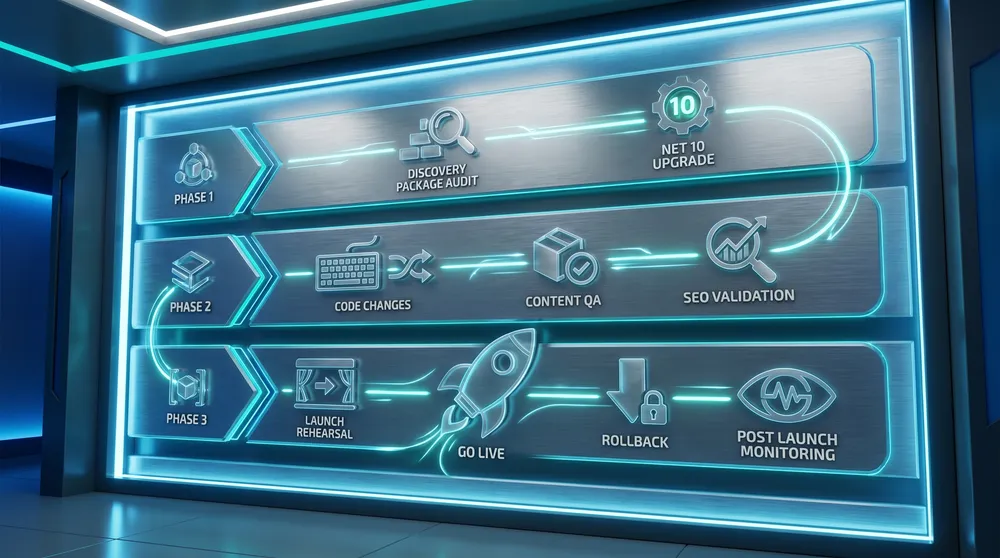
Plan the Migration in Phases
Discovery, technical upgrade, content QA, SEO validation, and launch rehearsals should be separate phases with clear owners and sign-off.
A Practical Migration Plan
Phase 1: Discovery and Estimate
Audit the current site, source version, packages, templates, APIs, integrations, custom code, hosting, content volume, editor workflow, SEO setup, and analytics. Decide whether this is an upgrade, staged upgrade, rebuild, or headless rebuild.
Phase 2: Technical Spike
Create a branch or clone, upgrade the project, confirm .NET 10 readiness, identify breaking changes, test the database upgrade, and list blockers. This is where the real project estimate becomes clearer.
Phase 3: Implementation
Upgrade code, replace packages, update templates, migrate configuration, rebuild incompatible backoffice extensions, improve the content model, and automate deployment.
Phase 4: QA and Editor Sign-off
Test pages, forms, redirects, search, members, media, preview, publishing, permissions, analytics, schema, integrations, performance, accessibility, and security. Ask real editors to complete real publishing tasks.
Phase 5: Launch and Monitor
Freeze content, back up everything, deploy during a controlled window, smoke test, monitor logs, verify analytics, check forms, crawl redirects, and keep the old environment available until the new site is stable.
Final Recommendation
If you are on Umbraco 13 LTS with a clean codebase, plan a controlled upgrade to Umbraco 17 LTS. If you are on an older or heavily customised version, start with a discovery spike before committing to a fixed migration price. If the current site has outdated templates, stale content, broken packages, or poor editor workflows, a rebuild or partial remodel may be the cheaper long-term option.
The safest migration decision is based on evidence: source version, package compatibility, code complexity, content model health, hosting readiness, SEO risk, editor workflow, and rollback confidence.