Umbraco August 2026 Security Patches: Action Guide
Check affected Umbraco CMS, Forms and AI versions, understand the August 2026 security risks, and follow a practical patch and upgrade plan.
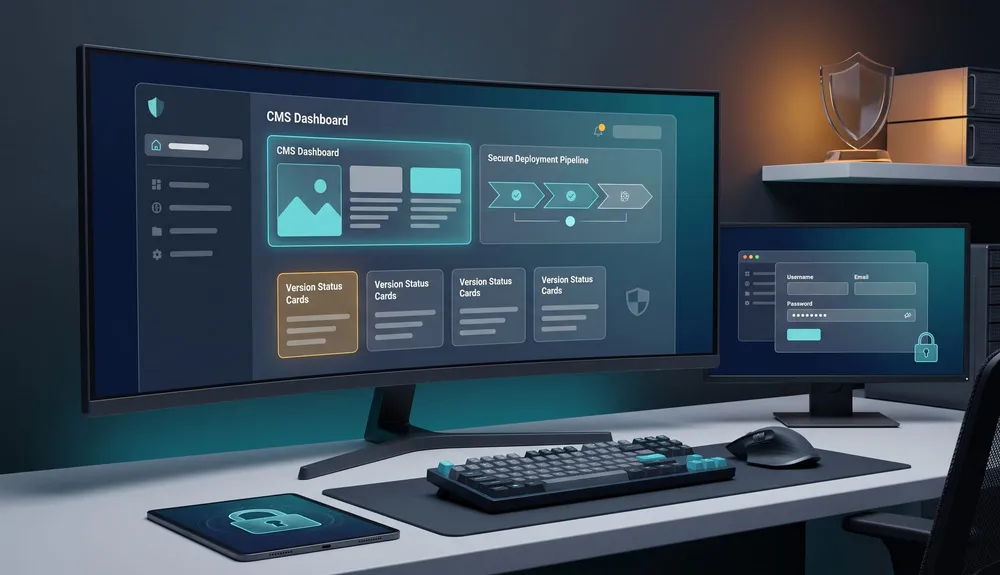
If your business runs Umbraco 17 or 18, check the installed CMS, Forms and Umbraco AI versions now. Umbraco released coordinated security patches on 18 August 2026 for four vulnerabilities: one rated high and three rated moderate.
The most serious issue is an authorization flaw in the backoffice Management API. A person with a valid low-privilege backoffice account could perform actions intended for higher-privileged users. Under the default runtime configuration, that could lead to remote code execution and potentially compromise the website and server. A separate CMS flaw could expose content, media and member data beyond a user's assigned permissions.
There were also product-specific issues in Umbraco Forms and Umbraco AI. Forms installations using the sensitive-data setting could expose protected values or uploaded files to authenticated Forms users without the intended permission. Umbraco AI attachments could be retrieved without authentication by someone who already possessed the specific file URL.
This is not a reason to assume every site has been breached. The high-severity CMS path requires a valid backoffice account, and the individual vulnerabilities have specific affected ranges. It is, however, a clear reason to verify versions, access and deployment ownership today.
For technical help, VaniTech provides website support and maintenance, CMS services, cloud architecture and system integration.
What Site Owners Should Do First
Start with evidence: exact versions, hosting responsibility, installed add-ons and backoffice access.
Identify Versions
Record the installed Umbraco CMS, Forms and Umbraco AI Agent package versions in each production and non-production environment.
Confirm Hosting Ownership
Determine whether Umbraco Cloud, an internal team, a hosting provider or a support partner is responsible for applying and verifying updates.
Review Backoffice Access
List current accounts, remove stale access, confirm least privilege and MFA, and investigate any account that cannot be vouched for.
Plan Tested Deployment
Back up the site, test in a production-like environment, define rollback, deploy the patches and verify the running versions.
Affected and Patched Umbraco Versions
The table below translates Umbraco's advisory into an operational check. It is current to 27 August 2026; verify the latest vendor advisory before deployment in case newer cumulative patches are available.
| Product | Affected versions | Secure version or action |
|---|---|---|
| Umbraco CMS — high-severity authorization/RCE issue | 15.2.0–15.4.3; 16.0.0–16.5.0; 17.0.0–17.6.1; 18.0.0–18.1.0 | Update supported lines to 17.6.2 or 18.1.1. Versions 15 and 16 have no patch and require a supported-major upgrade. |
| Umbraco CMS — data access beyond permissions | 14.0.0–14.3.3; 15.0.0–15.4.3; 16.0.0–16.5.0; 17.0.0–17.6.1; 18.0.0–18.1.0 | Update supported lines to 17.6.2 or 18.1.1. Versions 14–16 have no patch. |
| Umbraco Forms — sensitive values and uploads | 13.0.0–13.9.8; 17.0.0–17.4.7; 18.0.0–18.0.5, where sensitive-data fields are used | Update to 13.9.9, 17.4.8 or 18.0.6 as appropriate. |
| Umbraco AI Agent — attachment access | 1.6.0–1.10.4; 17.0.0–17.1.3; 18.0.0–18.1.3 | Update to 17.1.4 or 18.1.4. Umbraco recommends moving v1 users to the version 17 line. |
Umbraco says the CMS and Forms patches contain code changes only and do not introduce database migrations. That reduces one category of upgrade risk, but it does not remove the need for backups, testing and rollback. Custom packages, deployment pipelines, load-balanced environments and integrations still need verification.
Why the High-Severity Issue Matters
The high-severity advisory has a CVSS score of 8.8. It is not an unauthenticated internet exploit: an attacker needs a valid backoffice account. That condition should narrow the risk assessment, not end it. Credentials can be stolen, old staff or supplier accounts can remain active, and low-privilege accounts may be more numerous than administrator accounts.
Under the default runtime mode, the authorization flaw can enable changes that lead to code execution in the web application's context. The potential impact includes loss of confidentiality, integrity and availability. In business terms, that can mean content tampering, service disruption, data exposure or the need for emergency restoration and incident response.
The Other Three Vulnerabilities Still Need Attention
CMS data exposure beyond assigned permissions
The moderate CMS issue affects Management API search endpoints. Umbraco's GitHub advisory says a backoffice user with any level of access could retrieve content, media and member data beyond their assigned permissions. This includes unpublished content and, on affected newer versions, member data protected by the sensitive-data permission.
The issue affects confidentiality rather than data modification. That distinction matters technically, but a confidentiality failure can still be serious for member portals, intranets and websites holding customer or employee information.
Forms sensitive-field exposure
The Forms issue applies only where one or more fields use the sensitive-data setting. Protected field values were written to the search index, and stored paths for sensitive uploads could expose files to an authenticated Forms user who lacked permission to view that data. Businesses that collect CVs, identification, health information or financial documents should prioritise both patching and a review of who can access Forms.
Umbraco AI attachment access
The Umbraco AI issue involved files attached to backoffice AI chats. The serving endpoint did not authenticate the requester. Exposure required possession of a specific, non-enumerable URL, and uploads are deleted after 24 hours by default, but attachments may still contain confidential material. Updating closes the path and reinforces a broader rule: AI features should be included in the same package inventory, access review and security-update process as the CMS itself.
A Practical Patch Plan for Australian Businesses
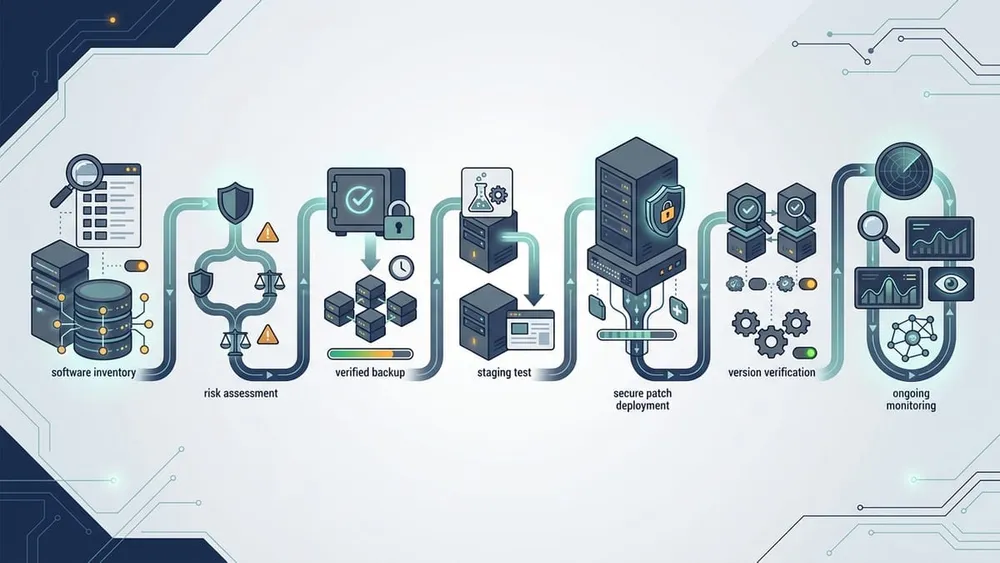
- Name the technical owner. Confirm who can inspect the application, deploy packages, access hosting, restore backups and make an incident decision. If nobody owns those tasks, treat that as the first risk to fix.
- Inventory every environment. Record CMS, Forms, Umbraco AI and other package versions for production, staging, test and disaster-recovery instances. Do not assume all environments match.
- Classify the path. Supported Umbraco 17 and 18 installations can move to patched releases. Umbraco 14–16 need an upgrade project because no security patch is available. Umbraco 13 is not affected by these two CMS issues, but it has its own lifecycle deadline on 14 December 2026.
- Review exposure. List backoffice users and roles, confirm MFA, remove stale accounts, identify forms with sensitive fields, and check whether Umbraco AI is installed. Include agency, contractor and integration accounts.
- Back up and test restoration. Take application, configuration, database and media backups appropriate to the architecture. A successful backup job is not the same as a proven restore.
- Patch in a production-like environment. Update packages, rebuild, deploy and test login, editing, publishing, Forms submissions, sensitive-data permissions, AI attachments, search, member journeys, scheduled jobs and integrations.
- Deploy with rollback and monitoring. Choose an accountable change window, keep rollback ready, deploy the tested build and watch application health, authentication, errors, background jobs and key business transactions.
- Verify the running result. Confirm the actual deployed versions rather than relying only on a successful pipeline message. Record evidence, owner and completion time.
- Review for suspicious activity. Check unexpected changes to templates or other backoffice-managed resources, unfamiliar users, unusual logins, access to sensitive records and anomalies in application or infrastructure logs. Escalate evidence of compromise through an incident-response process rather than treating it as a normal update.
This sequence aligns with Australian Signals Directorate guidance that patching needs clear responsibilities, vulnerability awareness, testing and verification. The right speed depends on exposure and business constraints, but an internet-facing business system should not sit in an undefined queue after a high-severity vendor advisory.
Can Production Runtime Mode Be Used as a Workaround?
Production runtime mode mitigates the code-execution impact of the high-severity issue, but it does not repair the underlying authorization flaw. It is an interim risk-reduction measure, not a substitute for the secure versions.
It is also not a safe copy-and-paste toggle. Umbraco's runtime documentation says Production mode disables in-memory ModelsBuilder generation and Razor runtime compilation, requires Release publishing, HTTPS, a valid application URL and compatible ModelsBuilder configuration, and can cause the application to fail at startup when prerequisites are not met. Test the change outside production and follow the official documentation.
Umbraco Cloud, Self-Hosted and Unsupported Versions
Umbraco Cloud
Umbraco said it would roll the CMS and Forms fixes out automatically to Cloud projects on the day of the advisory. Site owners should still verify that the expected secure versions are running and that critical business journeys work. Umbraco AI is an add-on in Cloud and requires a manual update.
Self-hosted or partner-hosted Umbraco
There is no automatic assumption. Confirm whether your internal team, hosting provider or development partner owns package updates. Ask for the installed versions, deployment evidence, verification results and any outstanding risk. Hosting alone does not necessarily include application maintenance.
Umbraco 14, 15 or 16
These versions are end of life and will not receive patches for the affected CMS issues. Umbraco recommends moving to version 17 LTS or version 18. Production runtime mode can reduce the code-execution impact where its prerequisites are satisfied, but the authorization weakness remains and the data-disclosure issue does not have an equivalent complete configuration fix.
The commercial decision is therefore not “patch now or later.” It is “how quickly can we move this site to a supported major without losing content, integrations, search visibility or operational continuity?” A structured upgrade assessment should cover packages, custom backoffice extensions, APIs, forms, member authentication, hosting, deployment, redirects, analytics and rollback.
Umbraco 13
The August 2026 CMS issues do not affect Umbraco 13, and Forms 13 has a patched release. However, Umbraco's lifecycle page lists Umbraco 13 end of life as 14 December 2026. Businesses on version 13 should apply the Forms patch where relevant and keep the planned CMS migration on schedule.
Turn This Advisory Into a Better Maintenance Model
A good response fixes the immediate versions. A better response also removes the uncertainty that made the advisory difficult to act on.
| Maintenance control | Evidence to keep | Business value |
|---|---|---|
| Application and package inventory | CMS, add-on, framework and hosting versions by environment | Shows quickly whether a new advisory applies. |
| Named patch owner and escalation path | Responsible person, support hours and severity rules | Prevents critical work falling between agency, host and internal team. |
| Staging, backups and rollback | Restore test, deployment checklist and rollback procedure | Lets the business patch quickly without improvising. |
| Backoffice access governance | Current users, roles, MFA status and offboarding record | Reduces the number of credentials that can become an attack path. |
| Monitoring and audit review | Application, authentication, deployment and infrastructure logs | Improves detection and investigation when something looks wrong. |
| Lifecycle roadmap | Support dates, target versions and budgeted upgrade windows | Avoids unsupported platforms becoming emergency projects. |
For many SMEs, the most valuable outcome is not a large security program. It is a modest, repeatable operating rhythm: know what runs, know who owns it, test updates, patch promptly, verify the result and plan upgrades before support ends.
Umbraco August 2026 Security Patch FAQ
Short answers for business owners, marketing teams and technical decision-makers.
Sources Checked
- Umbraco: Security patches for CMS, Forms and Umbraco AI
- GitHub advisory: incorrect authorization and remote code execution
- GitHub advisory: Management API data exposure
- Umbraco Documentation: Runtime Modes
- Umbraco: Long-term Support and End-of-Life
- Australian Signals Directorate: Patching applications and operating systems
Sources were checked on 27 August 2026. Security guidance can change as vendors release newer patches or investigation details.
Turn an urgent advisory into a controlled plan
VaniTech can identify your running versions, assess exposure, test and deploy supported patches, review access and integrations, or plan a safe move from an unsupported Umbraco release.