
Web Accessibility in 2026: What It Is, Why It Matters, How to Implement It, How to Test It, and What Level Your Business Should Target
Learn everything about web accessibility in 2026: implementation strategies, testing methods, WCAG compliance levels, and why accessibility is essential for modern business success and user experience.
Digital experiences are no longer judged only by how modern they look or how fast they load. Today, businesses also need to ensure their websites and digital platforms can be used by the widest possible audience, including people with disabilities, older users, users in temporary difficult situations, and people relying on assistive technologies.
That is why web accessibility has become a major part of modern website strategy. It is not simply a technical enhancement or a compliance checkbox. Accessibility sits at the intersection of user experience, ethics, legal responsibility, SEO, conversion optimisation, brand trust, and long-term digital quality.
At Vanitech, we see accessibility as a core part of building high-quality digital solutions. A website that is accessible is often easier to navigate, easier to understand, more robust across devices, more search-friendly, and more inclusive for everyone.
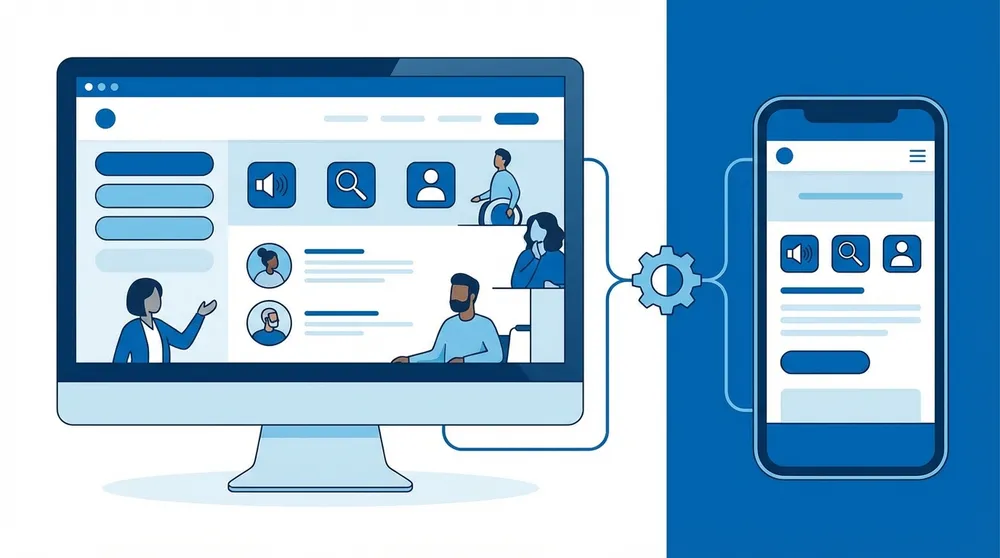
Accessibility as a Business Standard
Accessibility is increasingly important because the web is essential to everyday life. People use websites to learn, shop, book services, communicate, manage finances, apply for jobs, access healthcare, and interact with businesses. When websites are not accessible, they create unnecessary barriers for real people trying to complete important tasks.
For businesses, the message is clear: accessibility is no longer optional if you want your digital platform to be modern, responsible, competitive, and future-ready.
What Is Web Accessibility?
Web accessibility means designing, developing, and maintaining websites, applications, and digital content so that people with a wide range of abilities and disabilities can use them effectively.
This includes making sure users can:
- perceive information,
- understand content,
- navigate through the interface,
- interact with features,
- and complete tasks successfully.
Accessibility supports users with:
- visual impairments,
- hearing impairments,
- motor disabilities,
- cognitive or neurological conditions,
- speech impairments,
- temporary injuries,
- age-related limitations,
- and situational restrictions such as poor lighting, noisy environments, or limited mobility while using a device.
A user may rely on:
- a screen reader,
- keyboard-only navigation,
- voice input,
- captions,
- magnification,
- high contrast settings,
- reduced motion preferences,
- or other assistive technologies.
In simple terms, accessibility means a website should not exclude people because of the way it is designed or built.
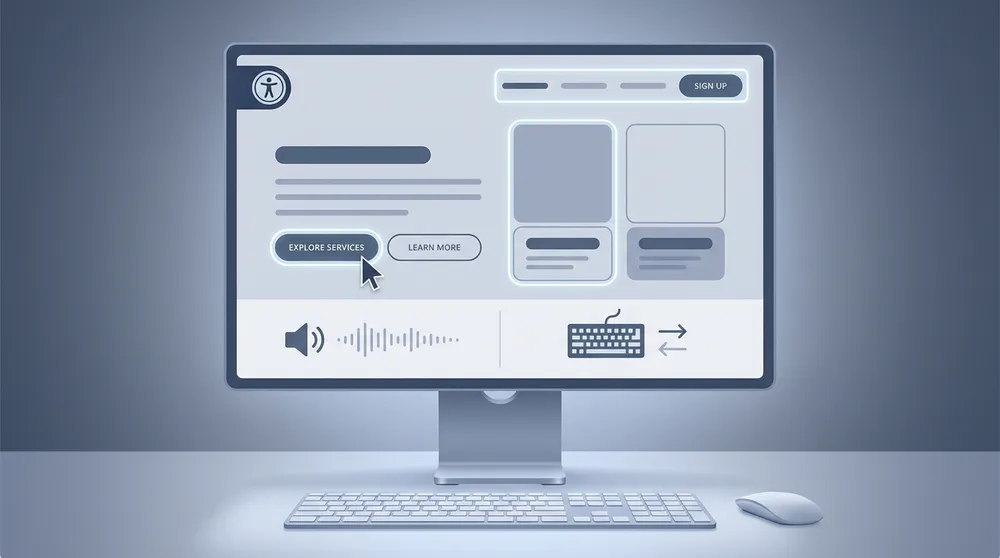
Accessibility is often misunderstood as something only relevant to a small group of users. In reality, it improves digital experiences for a much broader audience. A clear heading structure helps screen reader users, but it also helps all users scan content quickly. Good contrast helps users with low vision, but it also helps anyone using a phone in bright sunlight. Keyboard accessibility helps users with motor impairments, but it also improves power-user efficiency and navigation reliability.
This is why accessibility should be viewed as a quality standard, not just a niche requirement.
Why Accessibility Is Necessary
Accessibility is necessary for several reasons, but the strongest case comes from four major areas: ethical responsibility, legal expectations, business value, and overall digital quality.
Ethical Responsibility
At its core, accessibility is about inclusion. A website should not prevent someone from accessing information, buying a product, submitting an enquiry, or using a service simply because they interact with the web differently.
When businesses create inaccessible websites, they unintentionally exclude real people. That exclusion can affect independence, dignity, confidence, and the ability to participate fully in digital life. For organisations that care about fairness, service quality, and community trust, accessibility is part of doing the right thing.
Ethical accessibility is also closely connected to inclusive design. It encourages teams to think beyond an "average user" and instead design for real-world diversity. That leads to better decisions around content clarity, navigation, interaction design, and usability.

Ethical Side of Accessibility
Legal Responsibility
Accessibility also has legal importance. Different countries apply different laws and regulations, but the general direction is clear: businesses and organisations are under increasing pressure to make digital services accessible.
In many jurisdictions, public-facing digital services are expected to provide equal access. This is especially important for government, public sector, healthcare, education, and businesses serving the general public. Even when exact legal obligations vary, accessibility is increasingly tied to procurement expectations, enterprise requirements, and risk reduction.
For business owners, the practical takeaway is simple: inaccessible websites can create avoidable legal and reputational risks. A proactive accessibility strategy is much safer than waiting until a complaint, audit, or customer issue forces action.
Business Value
Accessibility is also a smart business investment. Accessible websites often perform better because they are easier to use, easier to understand, and easier to navigate.
The business benefits of accessibility often include:
- stronger SEO foundations,
- improved user engagement,
- lower bounce rates,
- better form completion,
- better conversion performance,
- wider market reach,
- stronger brand reputation,
- and improved digital maturity.
If users can find information faster, trust the interface more easily, and complete key actions with less friction, the business benefits are real.
Better Overall Website Quality
Many accessibility improvements are simply signs of a better-built website. Clear headings, proper form labels, keyboard support, readable text, meaningful links, structured content, and robust navigation all contribute to a cleaner and more professional digital experience.
That is why accessibility is not separate from quality. In many cases, accessibility is one of the clearest indicators of whether a website has been built properly.
Accessibility and SEO: Why They Work Together
Accessibility and SEO are closely connected. While they are not identical disciplines, they overlap heavily in the way they reward structure, clarity, and meaningful content.
Search engines benefit from:
- semantic HTML,
- descriptive headings,
- meaningful link text,
- alt text for relevant images,
- structured content,
- good page hierarchy,
- and strong usability signals.
Users also benefit from these same elements. That means accessibility improvements often support SEO performance at the same time.
For example:
- a properly structured heading hierarchy helps search engines understand page content,
- alt text helps communicate image meaning,
- cleaner markup improves content interpretation,
- better usability can support engagement metrics,
- readable content improves user retention,
- and accessible navigation helps users and bots move through a website more effectively.

For Vanitech clients, this is especially important. Businesses often invest in SEO, content marketing, and performance optimisation, but accessibility is sometimes overlooked. In reality, accessibility can strengthen the technical and content foundations that make SEO work better over time.
What Are Accessibility Standards?
The most widely recognised standards for web accessibility are the Web Content Accessibility Guidelines, commonly known as WCAG.
These guidelines provide a framework for making digital content more accessible. They are used globally as the main benchmark for evaluating website accessibility.
WCAG is structured around four main principles. A website should be:
Perceivable
Users must be able to perceive the information presented. Content cannot be invisible to all of a user's senses.
Operable
Users must be able to interact with and navigate the interface.
Understandable
Users must be able to understand both the content and how the interface behaves.
Robust
Content should work reliably across browsers, devices, and assistive technologies.
Together, these four principles are often referred to as POUR.
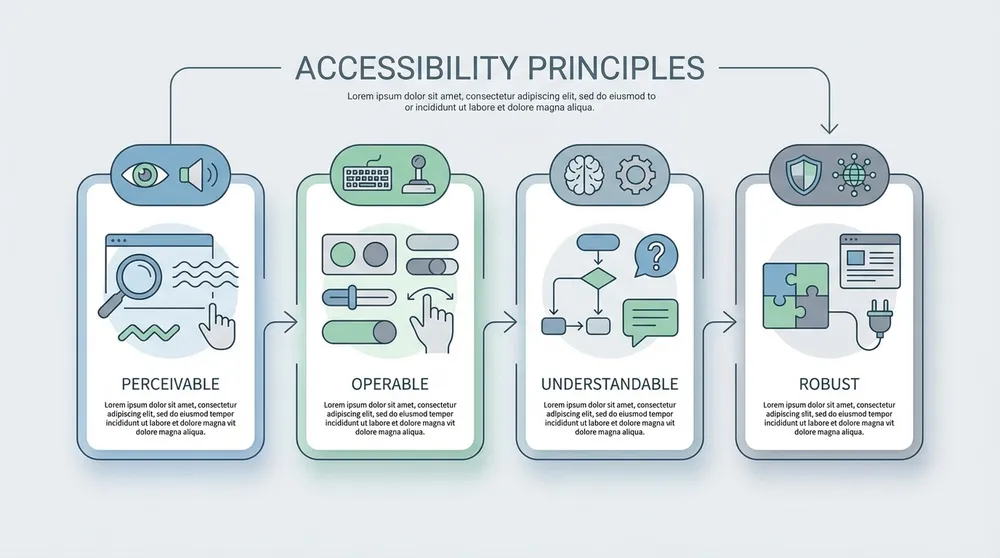
The POUR Principles
These principles are then broken down into specific success criteria that can be used to evaluate accessibility.
Accessibility Levels: A, AA, and AAA
WCAG defines three levels of conformance: Level A, Level AA, and Level AAA.
Level A
Level A is the minimum baseline. It addresses the most serious barriers that can completely prevent some users from accessing a website or performing basic tasks.
A website that fails Level A may have critical problems such as:
- missing image alternatives,
- inaccessible forms,
- keyboard traps,
- or missing structural information.
Level A is important, but by itself it is usually not enough for a professional public-facing website.
Level AA
Level AA is the standard most businesses should aim for. It provides a stronger and more practical level of accessibility without becoming unrealistic for most projects.
This level typically addresses:
- colour contrast,
- keyboard navigation,
- predictable layout and navigation,
- accessible forms,
- readable and resizable text,
- proper focus indicators,
- and broader usability for assistive technologies.
For most websites, WCAG AA is the recommended target.
Level AAA
Level AAA is the highest level. It includes stricter and more advanced accessibility expectations. While some AAA requirements can be very beneficial, it is not always practical or possible to meet AAA across every page and every type of content.
AAA is often most suitable for:
- selected high-priority content,
- highly regulated industries,
- public service platforms,
- education,
- healthcare,
- or digital experiences where maximum inclusiveness is a strategic goal.
It is common for businesses to target AA overall, while applying selected AAA best practices where they create additional value.
How Accessibility Is Measured
Accessibility is not measured by opinion or visual appearance alone. It is measured against clear criteria, usually based on WCAG success criteria and supported by practical testing.
This includes reviewing whether a website is:
- structured correctly,
- navigable by keyboard,
- understandable in content and interaction,
- compatible with assistive technologies,
- visually readable,
- and usable across a range of real scenarios.
Common Accessibility Measurement Areas
Colour Contrast
Text and important interface elements should have enough contrast against their background so users can read and distinguish them clearly.
Keyboard Accessibility
All important actions should be available without a mouse.
Focus Visibility
Users navigating by keyboard should always be able to see where they are on the page.
Semantic Structure
Pages should use proper headings, landmarks, lists, labels, buttons, tables, and links.
Screen Reader Support
Content should make sense when announced by assistive technology.
Form Accessibility
Inputs should have labels, instructions, clear validation, and meaningful error messages.
Responsive and Zoom Support
The interface should remain usable when zoomed or viewed on smaller screens.
Motion and Interaction Accessibility
Animations, transitions, or complex interactions should not create barriers.
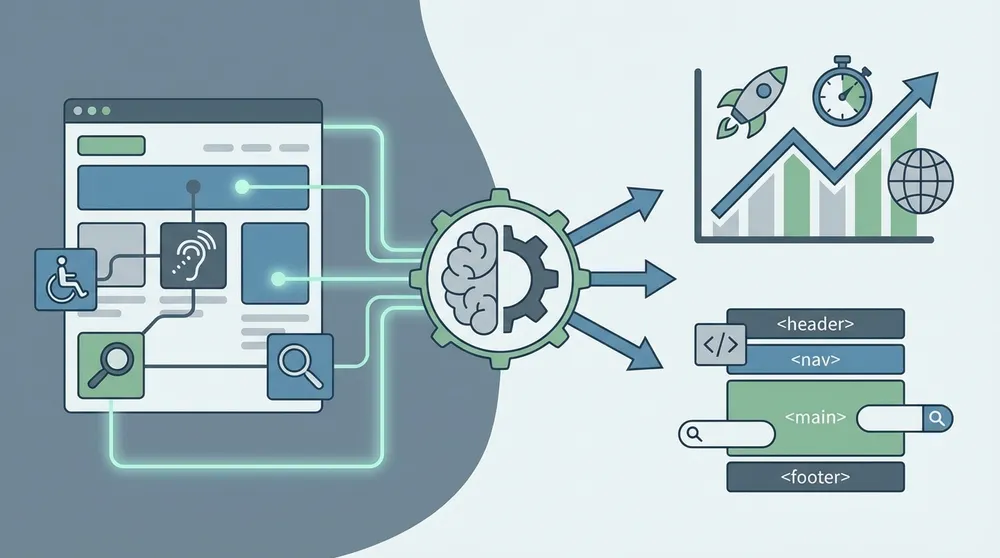
A key point for businesses is that accessibility cannot be measured well by one single score. Automated tools can identify many problems, but they cannot fully determine whether the experience is truly accessible. Proper measurement requires a combination of tools, expert review, and real interaction testing.
How We Implement Accessibility
Accessibility should be implemented from the beginning of the project, not added at the very end. When accessibility is treated as an afterthought, the cost of fixing issues becomes higher, and the overall quality is lower.
A mature accessibility implementation process usually covers strategy, design, development, content, QA, and ongoing governance.
1. Accessibility in Discovery and Requirements
Accessibility starts by defining expectations early.
This means identifying:
- the target accessibility level,
- the types of users and journeys that matter most,
- business risks,
- industry expectations,
- required standards,
- and how accessibility will be reviewed during delivery.
For example, a corporate website may prioritise page readability, enquiry forms, service pages, and accessible navigation. An ecommerce site will need stronger focus on product discovery, search, filters, cart, and checkout. A member portal may need extra attention to dashboards, table structures, error handling, and account flows.
2. Accessibility in UX and UI Design
Good accessibility begins in design. Many issues that appear later in development come from design decisions that were never accessibility-friendly in the first place.
Accessible design includes:
- sufficient colour contrast,
- clear hierarchy,
- readable typography,
- consistent spacing,
- obvious interactive states,
- accessible component choices,
- large enough click and tap targets,
- and layouts that remain understandable across devices.
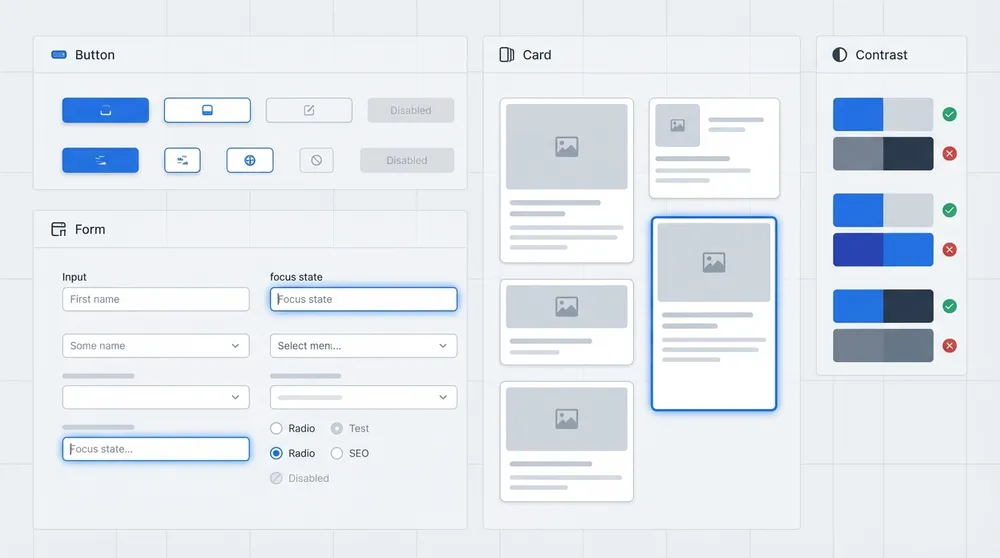
Accessibility in Design Systems
A design system should include accessibility requirements for common components such as buttons, inputs, dropdowns, tabs, accordions, cards, modals, navigation menus, alerts, and tables.
3. Accessibility in Frontend Development
Frontend implementation plays a major role in accessibility success. Developers should use native HTML elements correctly whenever possible and avoid replacing accessible browser behaviour with unnecessary custom code.
Important practices include:
- using real buttons for actions,
- using real links for navigation,
- maintaining logical heading order,
- using proper labels for form controls,
- supporting keyboard interaction,
- managing focus correctly,
- and using ARIA only where necessary.
For React, Next.js, and other modern frontend frameworks, component accessibility should be treated as a core engineering requirement. Reusable components should be tested and approved before being used widely across the site.
4. Accessibility in Backend and CMS Structure
Accessibility is not just a frontend issue. The backend and CMS must also support accessible content.
This includes:
- alt text fields for images,
- meaningful metadata,
- support for structured content,
- proper content relationships,
- accessible labels and field descriptions,
- caption and transcript support,
- and content models that encourage good hierarchy.
If the CMS makes it hard for content editors to enter accessible content, accessibility will become inconsistent no matter how good the frontend is.
5. Accessibility in Content Creation
Content writers and editors play a major role in accessibility. Accessible content is not only about short sentences or basic grammar. It is about clarity, structure, intent, and readability.
Accessible content should use:
- clear and logical headings,
- descriptive links,
- meaningful button text,
- short paragraphs,
- simple structure,
- clear instructions,
- and language appropriate to the audience.
This helps users with cognitive challenges, screen reader users, and also everyday readers scanning content quickly.
6. Accessibility in Forms and User Journeys
Forms are one of the most important accessibility areas on any business website. If a user cannot complete a contact form, a checkout step, or an account action, the business loses the opportunity.
Accessible forms should include:
- visible labels,
- field grouping where needed,
- clear instructions,
- validation messages that explain the issue,
- error handling that does not depend only on colour,
- keyboard-friendly navigation,
- and support for assistive technologies.
For lead-generation and ecommerce websites, form accessibility is directly connected to conversion performance.
How We Test Accessibility
Accessibility testing should never rely on a single tool or a single method. Proper testing combines automation, manual review, user flow validation, and realistic interaction testing.
Automated Testing
Automated tools are useful for finding common technical issues such as:
- missing labels,
- missing alt text,
- poor contrast in some cases,
- structural problems,
- and invalid accessibility attributes.
These tools are valuable because they can be integrated into development pipelines and repeated regularly. They help catch issues early and reduce regression risk.
However, automated testing cannot fully judge real usability.
Manual Keyboard Testing
Keyboard testing is essential. A reviewer should be able to navigate through the site using only a keyboard and confirm that:
- navigation works,
- menus open properly,
- forms can be completed,
- modals can be closed,
- focus is always visible,
- and there are no traps or confusing jumps.
Many serious accessibility issues are discovered only through keyboard testing.
Screen Reader Testing
Key templates and user journeys should be tested with screen readers to check whether:
- headings make sense,
- links are meaningful,
- controls are announced properly,
- form errors are understandable,
- and the content flow is logical.
A page may look visually correct but still create a very poor experience for screen reader users if the underlying structure is wrong.
Responsive, Zoom, and Reflow Testing
Users with low vision often zoom content significantly. A website should still be readable and functional when zoomed. Text should not become cut off, controls should remain usable, and layouts should adapt rather than break.
Real User Testing
The strongest accessibility insights often come from real users with disabilities. Where the project allows for it, user testing can reveal usability gaps that tools and internal teams may miss.

Mature accessibility testing is not a one-time task. It should be repeated during design validation, development, pre-launch QA, and ongoing site maintenance.
What Accessibility Level Is Suitable Based on Business and Website Type?
The right accessibility target depends on your business model, website type, user risk, sector expectations, and the importance of the service being delivered.
Brochure and Marketing Websites
For most business brochure websites and service websites, WCAG AA is the most suitable target. It provides a strong balance between practical implementation and meaningful accessibility.
This is especially important for:
- service pages,
- blog content,
- contact forms,
- calls to action,
- and navigation.
Ecommerce Websites
For ecommerce, WCAG AA should be considered the minimum suitable standard. Product pages, filters, search, variant selection, shopping carts, and checkout flows all need strong accessibility because even small barriers can affect revenue.
Ecommerce websites should often go beyond basic compliance in high-conversion flows.
Corporate and Enterprise Websites
Corporate and enterprise websites should also usually aim for WCAG AA. This is especially important when the website supports lead generation, procurement trust, documentation access, or customer service.
Enterprise buyers increasingly expect digital maturity, and accessibility supports that perception.
Government and Public Sector Websites
Government and public service websites generally require a stronger level of accessibility commitment. In these contexts, AA is usually the baseline expectation, with some sections benefiting from stronger practices depending on the service and audience.
Healthcare and Education Websites
Healthcare and education websites often serve users in high-importance contexts. Accessibility should be treated as a core requirement, not a secondary improvement. These websites should at minimum aim for AA, while also considering stronger accessibility support in critical journeys and high-value content.
Internal Systems and Portals
Even internal systems should not ignore accessibility. Staff may use assistive technologies or benefit from simpler, more inclusive workflows. Internal platforms should still target strong accessibility, especially if they are essential for day-to-day work.

Choosing the Right Accessibility Level
What Vanitech Recommends
For most Vanitech projects, the best recommendation is:
Target WCAG AA as the default standard
This is usually the most practical and business-appropriate level for:
- corporate websites,
- service-based websites,
- ecommerce platforms,
- SaaS applications,
- content-heavy websites,
- customer portals,
- and modern digital business platforms.
Then go beyond that where it makes strategic sense, especially in:
- high-conversion pages,
- forms,
- support experiences,
- customer account areas,
- and critical task flows.
At Vanitech, we believe accessibility should be integrated into:
- project planning,
- UX and UI systems,
- frontend and backend implementation,
- CMS structure,
- QA processes,
- and long-term website governance.
This approach produces digital platforms that are not only more inclusive, but also more robust, scalable, search-friendly, and commercially effective.
Final Thoughts
Accessibility is one of the clearest signs of a well-built website. It shows that a business is thinking about real users, long-term quality, risk reduction, and professional digital standards.
An accessible website is not simply a legal safeguard. It is:
- easier to use,
- easier to trust,
- easier to maintain,
- and often better positioned for SEO and conversion performance.
Businesses that prioritise accessibility are not just reducing barriers for users with disabilities. They are improving the overall quality of their digital experience for everyone.
For modern organisations, accessibility should be treated as part of the foundation of good web design and development. It is not an optional extra. It is part of what makes a digital platform truly effective.