Professional services · Design concept

Accountant and bookkeeper website

An accounting and bookkeeping website concept with clear service descriptions, getting-started steps, common questions, and consultation requests.

About this template

Explore how an accounting or bookkeeping practice can explain its services, show how a client relationship begins, and invite a first conversation. Clearstead Accounting & Books combines cobalt and amber accents, bold sans-serif headings, numbered sections, and a spacious grid for an approachable professional identity.

Page previews

Choose an image to view the full page. These are generated design concepts; forms and filters shown in them are not interactive.

Clearstead Accounting & Books home page design
View full page

Page type 01

Home

Introduce the practice with service cards, an approach section, getting-started steps, common questions, and a consultation action.

Practice navigationIntroductionService cardsPractice approachGetting started stepsFAQ previewConsultation CTA

The design shows routes to service information, the working process, and an enquiry. The fictional practice's controls are not implemented.
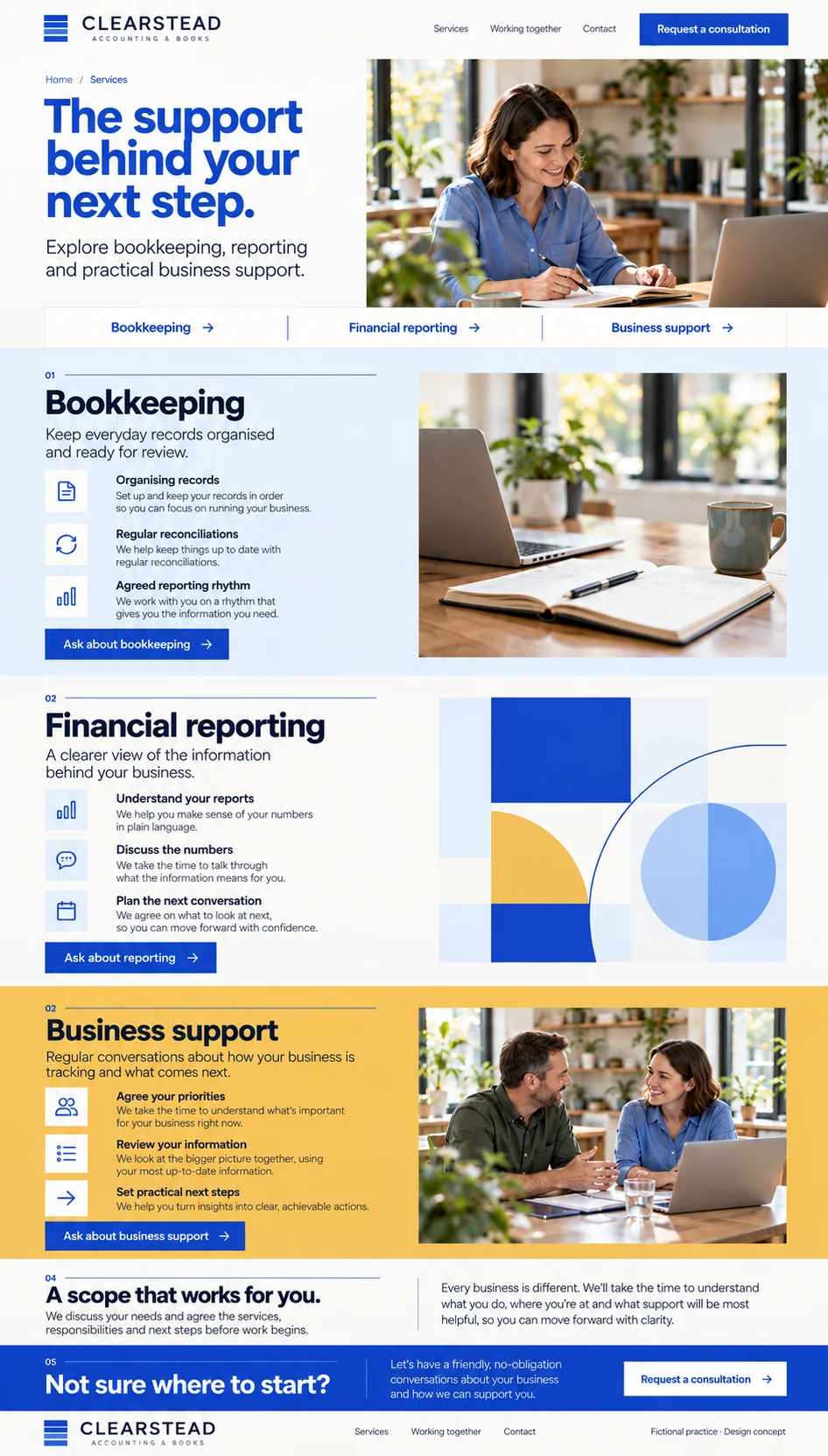
Clearstead Accounting & Books services page design
View full page

Page type 02

Services

Explain bookkeeping, financial reporting, and business support with short service descriptions and enquiry actions.

Service category navigationService descriptionsOffice photographyAgreed-scope informationService enquiry actions

A future services page can offer section navigation and carry the selected service into a consultation request. The practice confirms its service scope before launch.

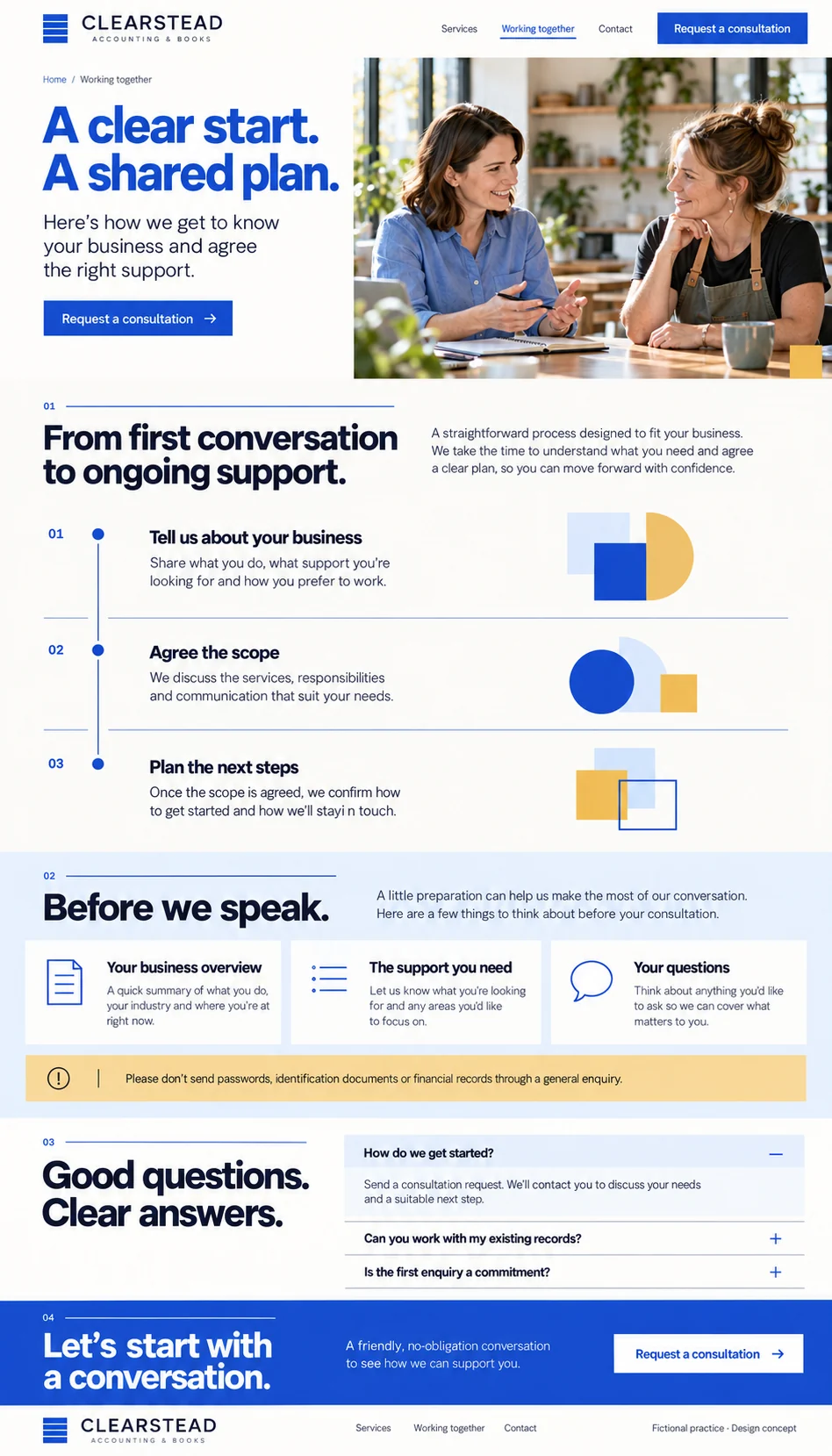
Clearstead Accounting & Books working together page design
View full page

Page type 03

Working together

Show how an initial conversation leads to an agreed scope, with preparation prompts and frequently asked questions.

Getting started timelineConsultation preparation cardsGeneral-enquiry information guidanceFAQ accordionConsultation CTA

The design shows a process timeline and expandable FAQ layout. Future answers and onboarding steps need approval from the practice; no engagement or completion date is guaranteed.

Clearstead Accounting & Books contact and consultation request page design
View full page

Page type 04

Contact and consultation request

Collect a brief consultation enquiry, explain what to discuss, and set out how the practice will follow up.

Consultation requestService interestPreferred contact methodPreparation promptsInformation guidanceRequest next steps

The form is a design preview. A future implementation needs validation and feedback, selected-service context, and follow-up to agree a time. It is not a document-upload or client-portal workflow.

What this template offers

Components and forms, at a glance.

See what appears in the page designs and what you could add when we build your website. Preview links take you to the relevant page layout.

Shown in design
Visible in a page preview; functionality is still to be built.
Working in demo
Implemented and available to try in a working provider demo.
Optional addition
An extra we can plan with you; not part of the current previews.

Components

The sections and features that help visitors explore the website.

Explore the practice

  • Practice introduction and navigation
    Shown in design

    Introduce the practice and connect visitors with services, the working process, and a consultation enquiry.

  • Practice approach
    Shown in design

    Introduce the fictional practice's approach through short editorial copy and office photography.

Explore services

  • Service cards
    Shown in design

    Summarise bookkeeping, financial reporting, and business support in short cards that lead to service information.

  • Service category navigation
    Shown in design

    Give visitors quick paths to the three service sections within the services page.

  • Service descriptions
    Shown in design

    Explain example services and the conversations used to agree their scope. A real practice confirms the services it can offer.

  • Service enquiry actions
    Shown in design

    Connect a service description with a consultation request about that service.

Plan a first conversation

Optional practice additions

  • Client portal integration
    Optional addition

    Link the practice's chosen client platform if secure document exchange and account access are separately agreed. The enquiry form is not a client portal.

  • Team profiles and credentials
    Optional addition

    Present real team biographies and verified credentials supplied by the practice. No professional registrations or credentials are claimed by this concept.

  • Articles and resources
    Optional addition

    Add a maintained resource section with practice-approved content and clear review responsibilities.

  • Consultation scheduling integration
    Optional addition

    Connect an agreed scheduling platform if live availability and confirmed appointment bookings are required.

Forms and enquiries

Ways for visitors to ask a question or take the next step.

Start a conversation

  • Consultation request
    Shown in design

    Collect contact details, a business name, service interest, preferred contact method, and a short introduction. The practice follows up to agree a time; sending a request does not confirm an appointment.

    Suggested fields: Full name · Email address · Phone number · Business name · Service of interest · Preferred contact method · Short message

Optional contact additions

  • General practice enquiry
    Optional addition

    Offer a separate enquiry route if the practice wants to distinguish general questions from new-client consultation requests.

    Suggested fields: Name · Email address · Enquiry topic · Short message

Optional client additions

  • Client onboarding workflow
    Optional addition

    Plan a separate onboarding process after scope is agreed, using the practice's chosen platform for any sensitive information and documents.

    Suggested fields: Fields agreed with the practice and its chosen onboarding platform

A starting point, made yours.

Your branding, services, locations, photos, and contact details shape the finished website. We agree on the pages and features your business needs before building.

Other pages we can plan with you

  • Individual service detail
  • Industry specialisations
  • Team and verified credentials
  • Articles and resources
  • Client portal information
  • Privacy and accessibility

These additional pages are proposed scope and are not shown in the current previews.

Website build

Website builds from $3,000 one-off, with default SEO and accessibility foundations. We agree the pages and functionality in your quote; the design previews illustrate what we can build.

All prices are in AUD excluding GST. Hosting is separate from the build; the platform and resource limits are confirmed in your quote. Extended services and additional scope are quoted separately.

Choose your SEO & accessibility service tier

Every industry build starts with default foundations. Extend the scope for your search and accessibility goals when you need more. These describe delivery services; the template images remain design concepts.

Tier 1 · Included by default

Default SEO & accessibility

SEO setup and practical accessibility foundations included in your website build.

Read the default service scope

Tier 2 · Customise your scope

Extended SEO, accessibility, AEO & GEO

Keep the default foundations and choose separately scoped search and accessibility work.

Read the extended service scope

Could this work for your business?

Let’s talk about your services, your audience, and the pages you want to include.

Discuss this template

Contact us

Tell VaniTech about your business and the pages you need. Email [email protected] or send a message below.

Get in touch with us

Send us a message

We are committed to protecting your privacy. We will never collect information about you without your explicit consent.

← Back to all website templates