Education and childcare · Design concept

Childcare centre website

A childcare centre website concept with age-group programs, room photography, educator profiles, and tour or enrolment enquiries.

About this template

See how an early learning centre can introduce its programs, show families around its spaces, and make a first conversation easy. Little Lantern Early Learning pairs friendly serif headings, plum and lavender colours, apricot accents, and warm illustrative photography across four page designs.

Page previews

Choose an image to view the full page. These are generated design concepts; forms and filters shown in them are not interactive.

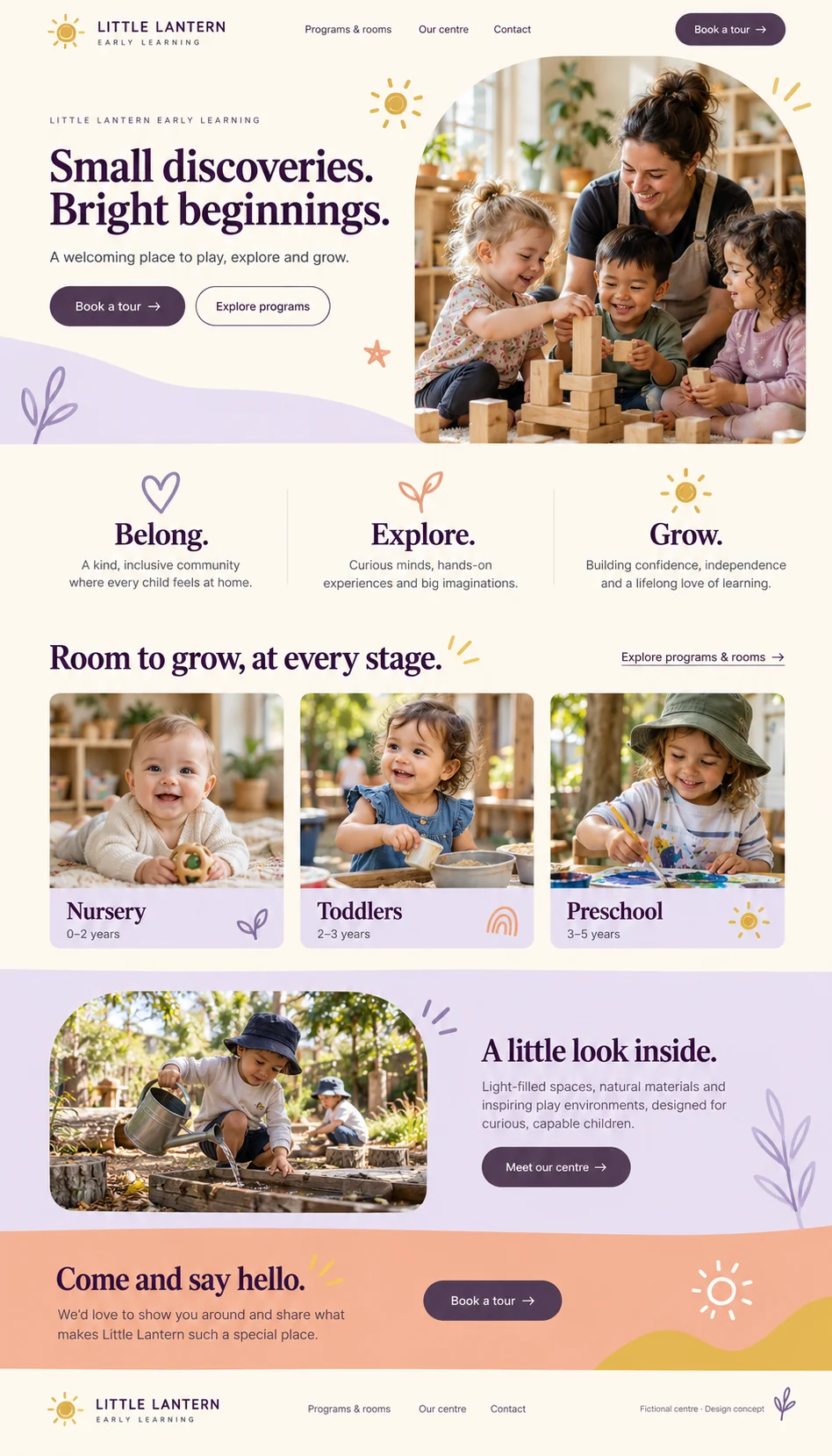
Little Lantern Early Learning home page design
View full page

Page type 01

Home

Welcome families with program cards, centre values, illustrative photography, and a clear tour enquiry action.

Centre navigationIntroductionValuesAge-group program cardsCentre introductionTour CTA

The design shows journeys to programs, the centre, and a tour enquiry. Provider navigation and actions remain mockups.
Little Lantern Early Learning programs and rooms page design
View full page

Page type 02

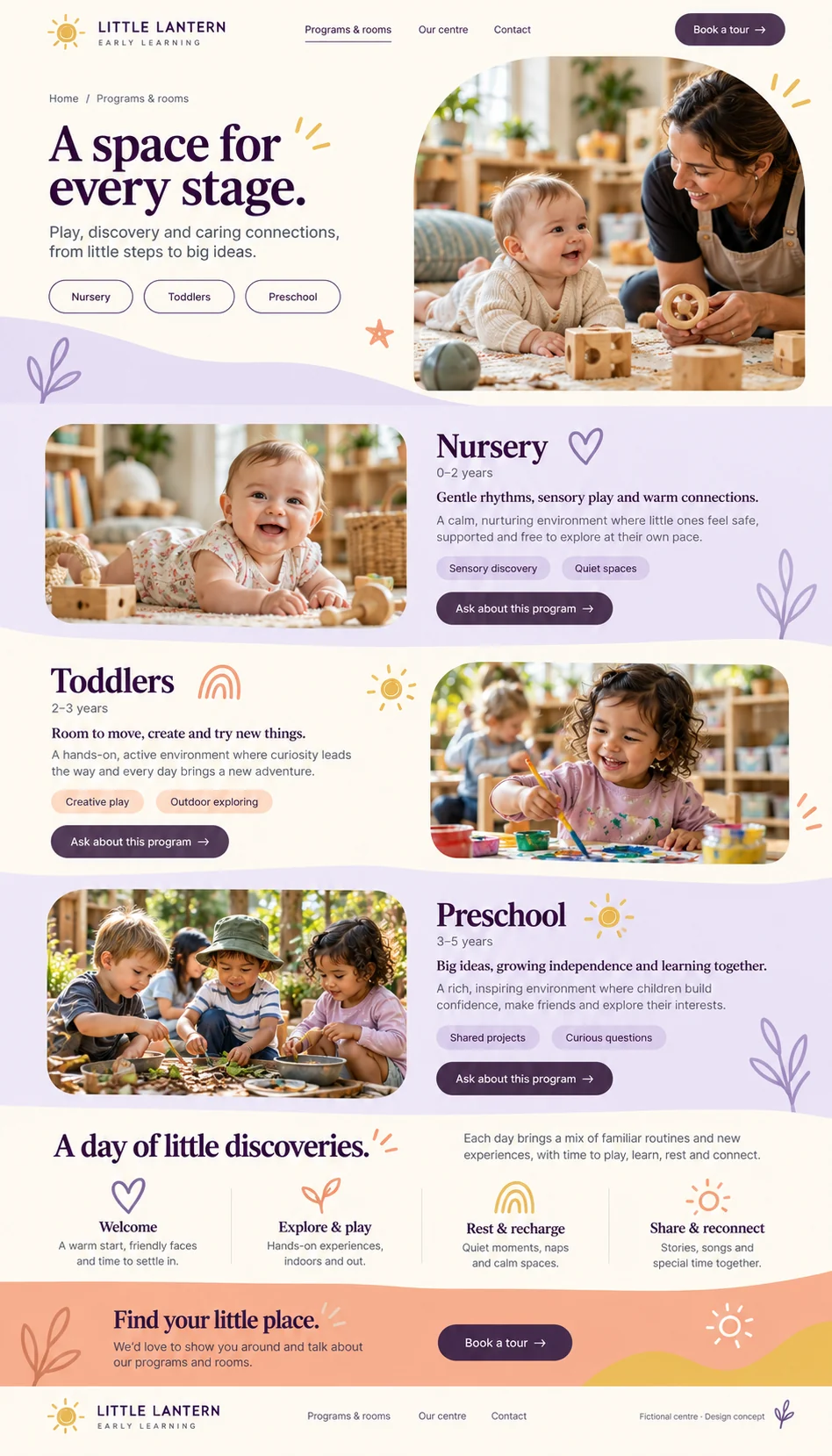
Programs and rooms

Explain example Nursery, Toddlers, and Preschool programs through room sections, activities, and a sample daily rhythm.

Program section navigationAge-group labelsRoom photographyActivity highlightsProgram enquiry actionsDaily rhythm

A future page can navigate room sections and carry the selected program into an enquiry. Age ranges and programs require centre approval.

Little Lantern Early Learning our centre and team page design
View full page

Page type 03

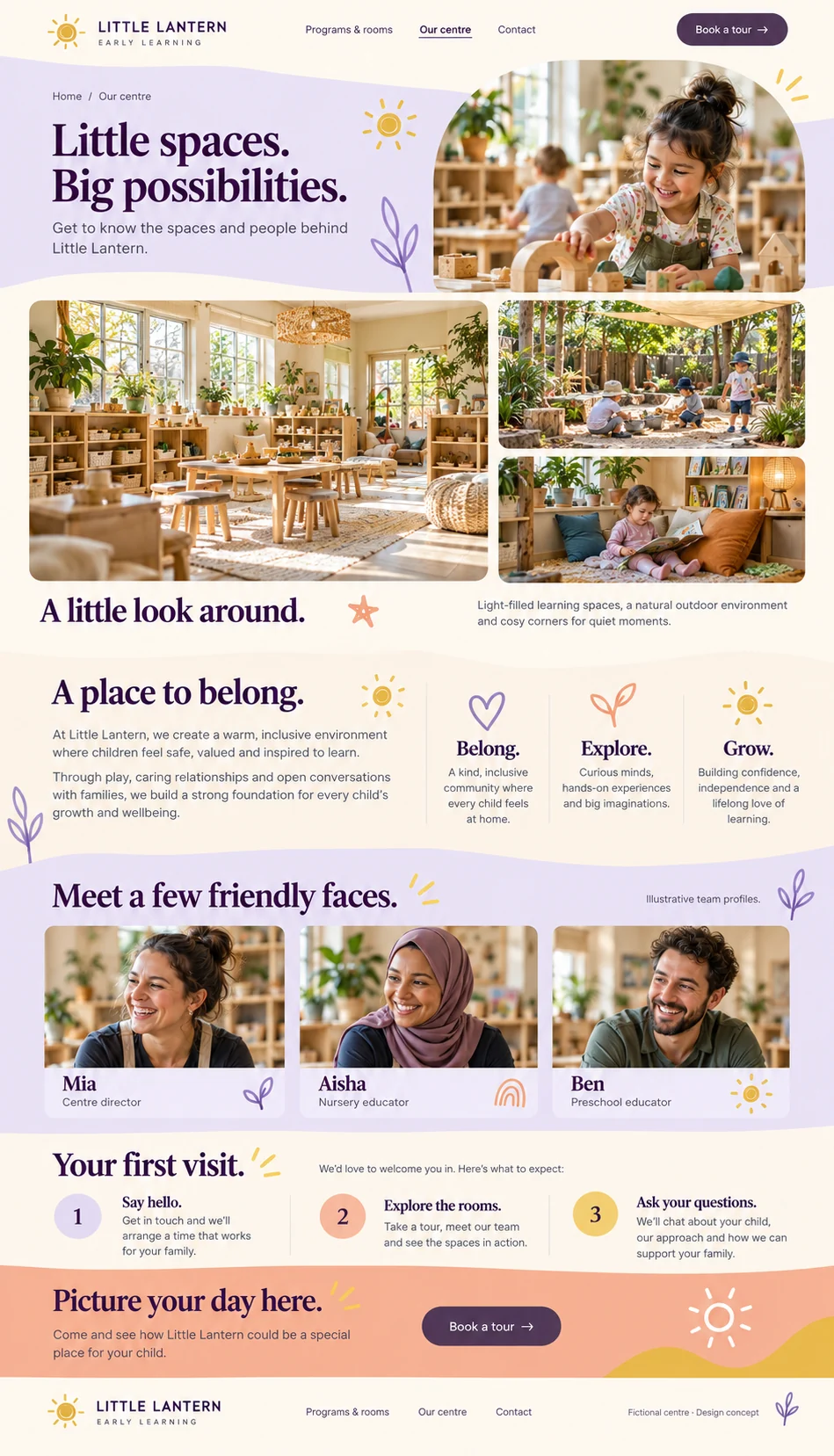
Our centre and team

Show a centre gallery, the care approach, illustrative educator profiles, and a first-visit guide.

Centre photo galleryCentre valuesEducator profilesFirst-visit stepsTour CTA

The design introduces the fictional centre and people. Future gallery interactions and tour links require implementation; all photography and profiles are illustrative.

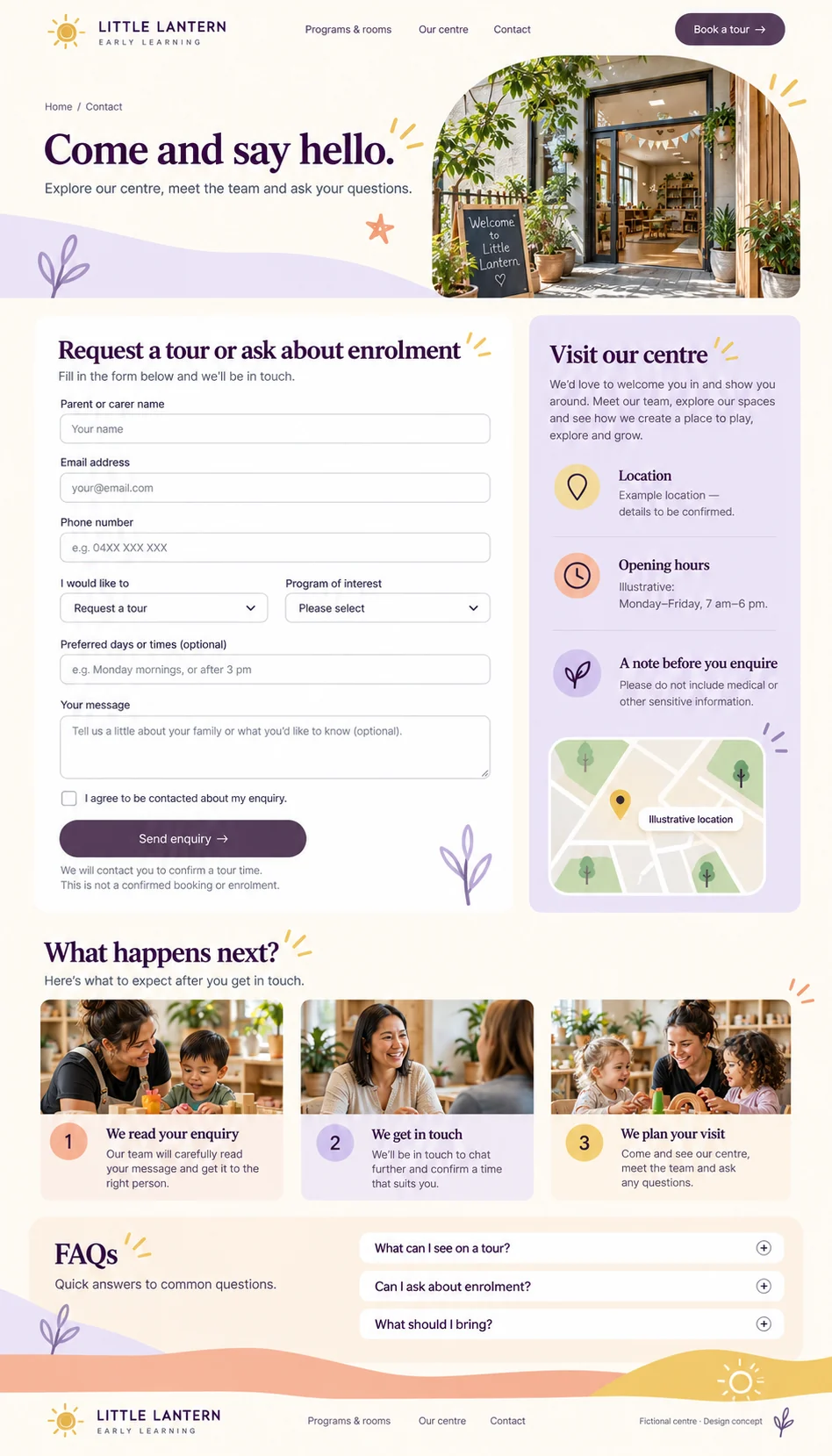
Little Lantern Early Learning contact and book a tour page design
View full page

Page type 04

Contact and book a tour

Gather tour or enrolment enquiries, show example visit information, explain follow-up, and answer common questions.

Tour and enrolment enquiryProgram interestPreferred timesExample location and hoursIllustrative mapEnquiry stepsFAQ accordion

The form and FAQ are design previews. Future submission needs validation and success/failure feedback, selected-program context, and centre follow-up. It does not confirm a booking, enrolment, or waitlist position.

What this template offers

Components and forms, at a glance.

See what appears in the page designs and what you could add when we build your website. Preview links take you to the relevant page layout.

Shown in design
Visible in a page preview; functionality is still to be built.
Working in demo
Implemented and available to try in a working provider demo.
Optional addition
An extra we can plan with you; not part of the current previews.

Components

The sections and features that help visitors explore the website.

Get to know the centre

  • Centre introduction and navigation
    Shown in design

    Introduce the centre with clear paths to programs, the team, and a tour enquiry.

  • Centre approach and values
    Shown in design

    Introduce the fictional centre's Belong, Explore, and Grow values with short family-facing copy.

Explore programs and rooms

  • Age-group program cards
    Shown in design

    Introduce example Nursery, Toddlers, and Preschool programs with age labels and photographs. Age ranges are illustrative and require centre confirmation.

  • Program section navigation
    Shown in design

    Offer quick paths to the Nursery, Toddlers, and Preschool sections.

  • Room and program descriptions
    Shown in design

    Explain each example program through room photography, play activities, and contextual enquiry actions.

  • Daily rhythm overview
    Shown in design

    Illustrate welcome, play, rest, and reconnection as a sample day rather than a fixed timetable.

Meet the people

  • Educator profiles
    Shown in design

    Introduce fictional educators by first name and role, with profiles explicitly identified as illustrative.

Plan a visit

  • First-visit guide
    Shown in design

    Explain saying hello, exploring the rooms, and asking questions on a future centre tour.

  • Location and opening hours
    Shown in design

    Show clearly labelled example location and opening-hours content, with an illustrative map. Replace these with centre-approved details before launch.

  • Enquiry next steps
    Shown in design

    Explain that the centre reviews an enquiry, makes contact, and agrees a visit. Submitting does not confirm a tour or enrolment.

  • Tour and enrolment questions
    Shown in design

    Present common tour and enrolment questions in an accordion design for later implementation.

Optional centre additions

  • Family resources and policies
    Optional addition

    Provide centre-approved family information and policy downloads if included in the agreed scope.

  • Live tour scheduling
    Optional addition

    Integrate an agreed calendar and confirmation process if the centre needs live appointment booking.

Forms and enquiries

Ways for visitors to ask a question or take the next step.

Start a conversation

  • Tour and enrolment enquiry
    Shown in design

    Use one enquiry form for tour requests or enrolment questions, with parent/carer contact details, program interest, and optional preferred times. The centre confirms the next step; no booking or place is reserved.

    Suggested fields: Parent or carer name · Email address · Phone number · Enquiry type · Program of interest · Preferred days or times (optional) · Message (optional) · Contact permission

Optional centre additions

  • Waitlist registration
    Optional addition

    Plan a separate waitlist workflow and data handling with the centre if required. The current enquiry form is not a waitlist or enrolment application.

    Suggested fields: Fields to be agreed with the centre

A starting point, made yours.

Your branding, services, locations, photos, and contact details shape the finished website. We agree on the pages and features your business needs before building.

Other pages we can plan with you

  • Individual program detail
  • Full educator profiles
  • Family resources
  • Fees and enrolment information
  • Careers
  • Privacy and accessibility

These additional pages are proposed scope and are not shown in the current previews.

Website build

Website builds from $3,000 one-off, with default SEO and accessibility foundations. We agree the pages and functionality in your quote; the design previews illustrate what we can build.

All prices are in AUD excluding GST. Hosting is separate from the build; the platform and resource limits are confirmed in your quote. Extended services and additional scope are quoted separately.

Choose your SEO & accessibility service tier

Every industry build starts with default foundations. Extend the scope for your search and accessibility goals when you need more. These describe delivery services; the template images remain design concepts.

Tier 1 · Included by default

Default SEO & accessibility

SEO setup and practical accessibility foundations included in your website build.

Read the default service scope

Tier 2 · Customise your scope

Extended SEO, accessibility, AEO & GEO

Keep the default foundations and choose separately scoped search and accessibility work.

Read the extended service scope

Could this work for your business?

Let’s talk about your services, your audience, and the pages you want to include.

Discuss this template

Contact us

Tell VaniTech about your business and the pages you need. Email [email protected] or send a message below.

Get in touch with us

Send us a message

We are committed to protecting your privacy. We will never collect information about you without your explicit consent.

← Back to all website templates